- Day 1 (Python Setup)
- Day 2 (Metadata Database)
- Day 3 (Frontend Setup)
- Day 4 (Superset & Flask Entrypoint)
- Day 5 (More Flask App)
- Day 6 (Database Class)
- Day 7 (Metadata for Examples)
Day 1 (Python Setup)
I'm on a quest, to understand and map out as much of the Apache Superset code base as I can. In my day job, I have the opportunity to use Superset on a daily basis but I'm not intimately familiar with the code paths themselves. This series will revolve around the process on a M1 Macbook Air, but should generalize to most *nix systems.
My goal is to make noticeable progress on a daily basis. With the preamble out of the way, let's start!
Contributing.md
The Superset codebase is large; where does one even begin? For new code bases, I generally like alternating between:
- breadth: starting with an overview of the development / contributor's guide
- depth: recursively going through each component & sub-component
For breadth, I'll start with the Setup Local Environment for Development section from CONTRIBUTING.MD.
Python 3.8
Python 3.7.x or 3.8.x are recommended for running the Superset backend. I'm on a Mac, and prefer to leave the default python that ships with the operating system to 2.7.x. Instead, I'll use Homebrew to install Python 3.8:
brew install python@3.8
Now, both the python3 and pip3 commands work as expected (independent of the python and pip commands)!
python3 --versionreturnsPython 3.8.12
pip3 --versionreturnspip 21.2.4 from /opt/homebrew/lib/python3.8/site-packages/pip (python 3.8)
Virtualenv
Now time to create a Python virtual environment. Virtual environment is really a sandbox for your Python libraries that lives within a specific folder / project. This workflow gives you a few benefits:
- Virtual environment lives completely independent of the global Python sandbox
- It's super quick and easy to delete all of the project specific Python libraries and re-install, as an escape hatch
- Less time wasted (not zero sadly) dealing with version / dependency conflicts
Are there any downsides?
- The main one is increased storage requirements, because every Python project on your computer has its own copies of similar libraries
First, let me install virtualenv:
pip3 install virtualenv
Next, let's give our virtual environment a name. The virtualenv creates a folder within your project folder and stuffs all of the Python libraries you install there. So we're really trying to decide on the name of this folder.
The CONTRIBUTING.MD file in the Superset repo suggests naming it venv:
python3 -m venv venv
- The first
venvis short-hand forvirtualenv - The second
venvrefers to the name of the folder we're creating (../superset/venv/)
Why should we name it venv/? One hint is in the .gitignore file, which specifies files & folder paths to ignore in version control. This means that each user can have their own local state and those details won't get checked into version control.
The .gitignore file itself is version controlled though. So this file provides a "universal" agreemenet between all of the contributors to Superset that these files should not be checked into version control. Let's search for any string values containing "env" in the .gitignore:
cat .gitignore | grep 'env'
This returns:
.env
.envrc
env
venv*
env_py3
envpy3
env36
venv
While some open source projects use the .venv/ convention for virtualenv, the Superset one uses venv it seems. So this means:
- we can party in our local
venv/and none of those changes will make it into any code PR's we may want to make - if we want to use
.venv/instead, the git version control system will detect a change
Let's stick to the community convention, and run the suggested command:
python3 -m venv venv
If we run ls while within the superset/ folder, we'll see venv listed as a folder. Success!
Python Dependencies
Usually, the Python requirements are specified in a requirements.txt file. In the case of Superset, we're blessed with a folder of .in and .txt files. There's a lot we could explore and unpack here, but I'm going to focus on getting everything setup first.
If we look to CONTRIBUTING.MD, we see:
pip install -r requirements/testing.txt
If we open that file, we see something that resembles a standard requirements.txt file, but with this header:
# This file is autogenerated by pip-compile-multi
I've made a mental note to investigate & explore pip-compile-multi later, a library for compiling multiple requirement files. For now, let's run the following command to install the dependencies:
pip3 install -r requirements/testing.txt
Error 1: MySQL
I ran into this issue with red scary error text while on my M1 Macbook computer:
Collecting mysqlclient==2.1.0
  Using cached mysqlclient-2.1.0.tar.gz (87 kB)
    ERROR: Command errored out with exit status 1:
     command: /opt/homebrew/opt/python@3.8/bin/python3.8 -c 'import io, os, sys, setuptools, tokenize; sys.argv[0] = '"'"'/private/var/folders/6d/f0fzvlyn6sd58q5rmx6s6df00000gn/T/pip-install-6c548wua/mysqlclient_a8c054d3233d4d00acb42d6a6bf2a562/setup.py'"'"'; __file__='"'"'/private/var/folders/6d/f0fzvlyn6sd58q5rmx6s6df00000gn/T/pip-install-6c548wua/mysqlclient_a8c054d3233d4d00acb42d6a6bf2a562/setup.py'"'"';f = getattr(tokenize, '"'"'open'"'"', open)(__file__) if os.path.exists(__file__) else io.StringIO('"'"'from setuptools import setup; setup()'"'"');code = f.read().replace('"'"'\r\n'"'"', '"'"'\n'"'"');f.close();exec(compile(code, __file__, '"'"'exec'"'"'))' egg_info --egg-base /private/var/folders/6d/f0fzvlyn6sd58q5rmx6s6df00000gn/T/pip-pip-egg-info-0735tk4h

     WARNING: Discarding https://files.pythonhosted.org/packages/de/79/d02be3cb942afda6c99ca207858847572e38146eb73a7c4bfe3bdf154626/mysqlclient-2.1.0.tar.gz#sha256=973235686f1b720536d417bf0a0d39b4ab3d5086b2b6ad5e6752393428c02b12 (from https://pypi.org/simple/mysqlclient/) (requires-python:>=3.5). Command errored out with exit status 1: python setup.py egg_info Check the logs for full command output.
    ERROR: Could not find a version that satisfies the requirement mysqlclient==2.1.0 (from versions: 1.3.0, 1.3.1, 1.3.2, 1.3.3, 1.3.4, 1.3.5, 1.3.6, 1.3.7, 1.3.8, 1.3.9, 1.3.10, 1.3.11rc1, 1.3.11, 1.3.12, 1.3.13, 1.3.14, 1.4.0rc1, 1.4.0rc2, 1.4.0rc3, 1.4.0, 1.4.1, 1.4.2, 1.4.2.post1, 1.4.3, 1.4.4, 1.4.5, 1.4.6, 2.0.0, 2.0.1, 2.0.2, 2.0.3, 2.1.0rc1, 2.1.0)
    ERROR: No matching distribution found for mysqlclient==2.1.0
Some StackOverflow sleuthing suggested that I needed to install MySQL server via homebrew so the installation process for the Python client library would work. So this may not be an M1 related issue after all:
brew install mysql
Error 2: Postgres
While mysql-client succeeded, pip now got stuck on postgres:
Error: pg_config executable not found.

pg_config is required to build psycopg2 from source.  Please add the directory
containing pg_config to the $PATH or specify the full executable path with the
option:

    python setup.py build_ext --pg-config /path/to/pg_config build ...

or with the pg_config option in 'setup.cfg'.

If you prefer to avoid building psycopg2 from source, please install the PyPI
'psycopg2-binary' package instead.
Let's check out Stack Overflow again. I like using the Postgres Mac app, which contains a pg_config executable. So I'm going to
I'm going to move forward with finding the path to the pg_config file and add it to my PATH. I'll first crack open the Postgres.app folder:
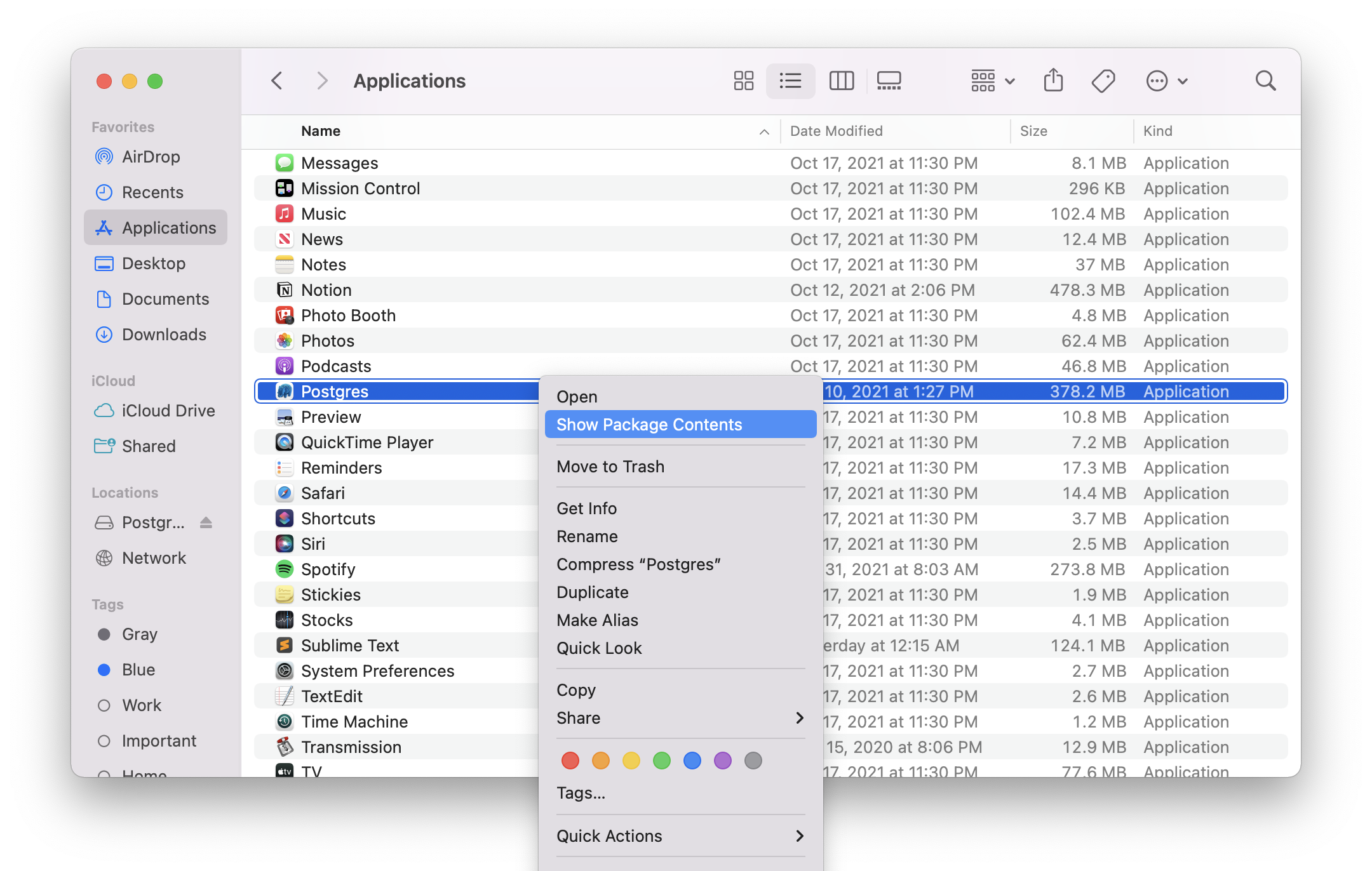
After jumping through folders, I found the pg_config executable. As suggested in StackOverflow, I'm going to add that executable's folder to my PATH:
export PATH=$PATH:/Applications/Postgres.app/Contents/Versions/14/bin
Now when I pip3 install -r requirements/testing.txt again, everything works beautifully!
Editable Superset
Now, we're ready to install Superset in "editable" mode. Editable mode lets us modify and test code changes in Superset quickly, which is ideal when developing features or fixing bugs.
pip3 install -e .
To test the installation, run the superset command and the Superset CLI should appear:
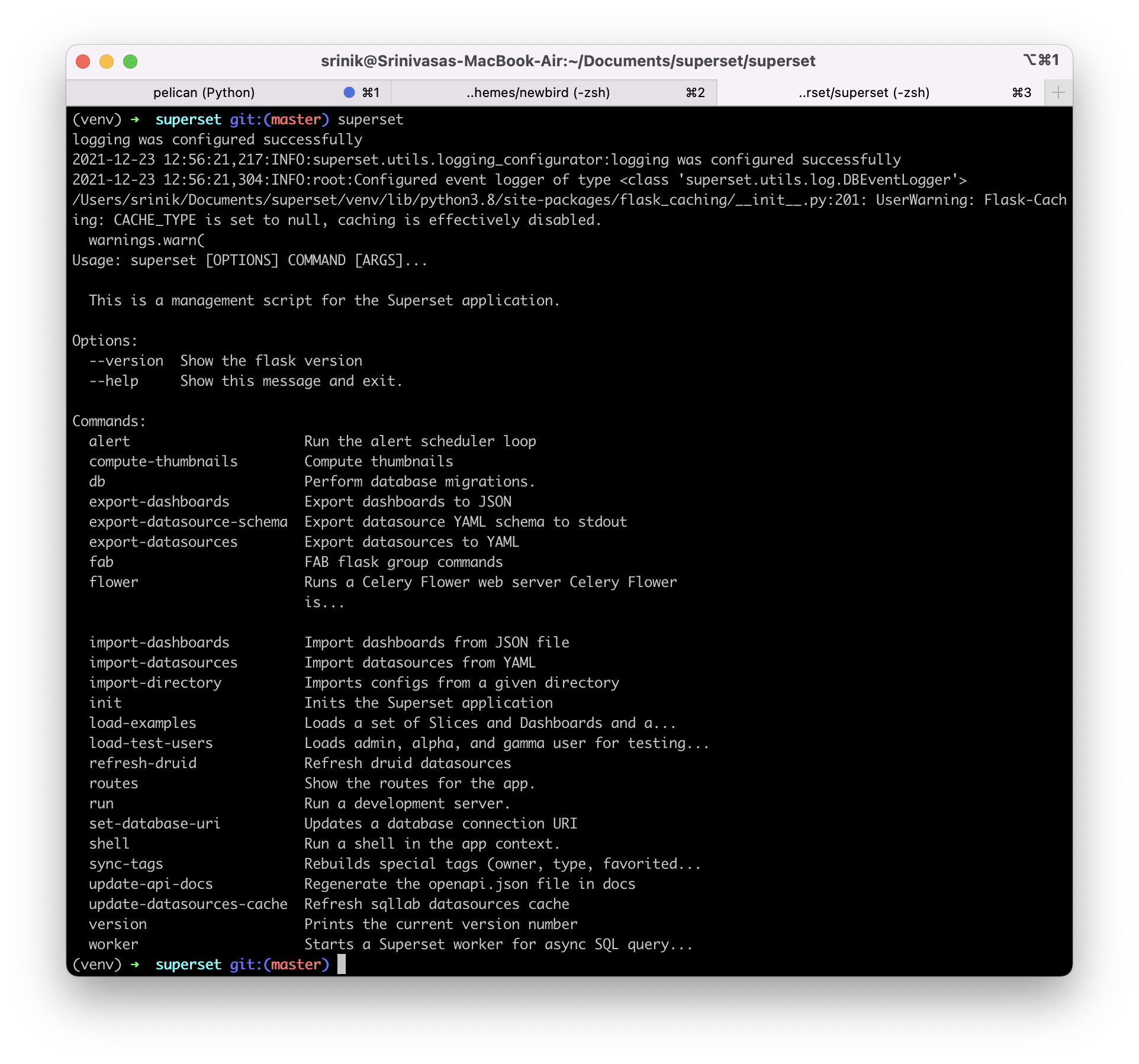
Next Up
That's it for Day 1. In Day 2, I'll play with setting up the metadata database, creating roles & permissions, loading example data, and starting the backend server.
If you want to follow along, use the RSS feed. Stay tuned! 📺
Day 2 (Metadata Database)
In Day 1, I setup the backend Python depedencies. Now, I'm going to start the metadata database. The next step, as laid out in CONTRIBUTING.MD, is to run:
superset db upgrade
Superset CLI
Before we do that, I want to get more familiar with the Superset CLI. If you recall from the last post, running superset in the command line exposes a number of interesting commands we could run:
Some interesting commands that stick out:
- db: Perform database migrations.
- export-dashboards: Export dashboards to JSON
- fab: FAB flask group commands
- init: Inits the Superset application
Where does the code for these CLI commands live? After some searches in the Superset codebase, it's clear they live in the superset/cli.py file. The CLI commands listed above map to function definitions. For example, here's the function definition for superset init:
@superset.command()
@with_appcontext
def init() -> None:
    """Inits the Superset application"""
    appbuilder.add_permissions(update_perms=True)
    security_manager.sync_role_definitions()
It looks like there's no function declaration that maps to the superset db CLI command, but instead the db namespace is imported from another file:
from superset.extensions import celery_app, db
If we jump to superset/extensions.py, we then see:
db = SQLA()
SQLA() sounds like SQLAlchemy, where is it defined or imported?
from flask_appbuilder import AppBuilder, SQLA
Neat! I know that Superset is built on top of Flask App Builder (or FAB for short), so this must be one of the important touchpoints. We'll avoid continuing down the rabbit hole for now, and dive deeper into FAB another day.
Let's ask the CLI to list out all of the available commands within superset db:
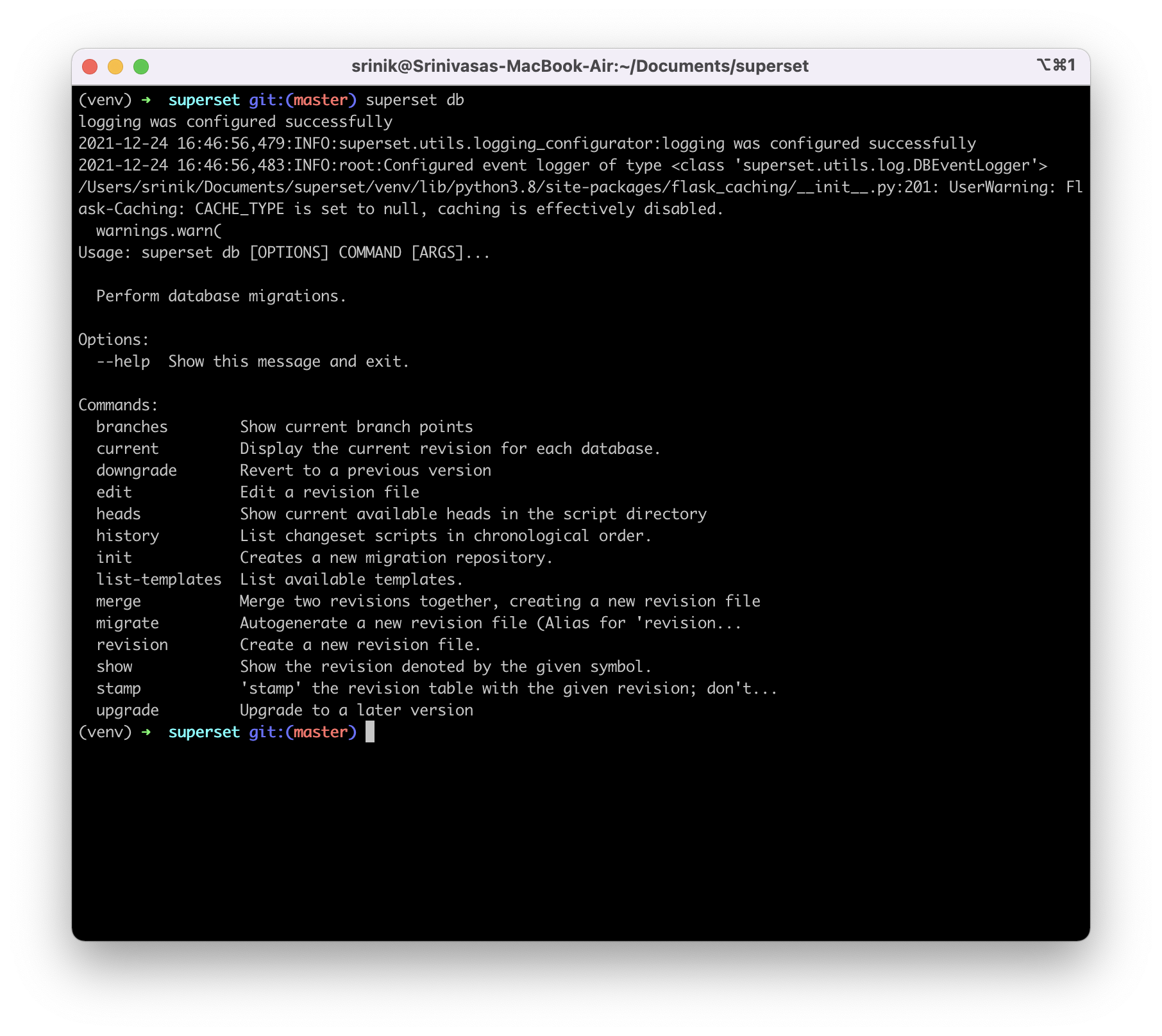
Neat! Let's run superset db upgrade now. As expected, a bunch of historical database migrations were run and applied.
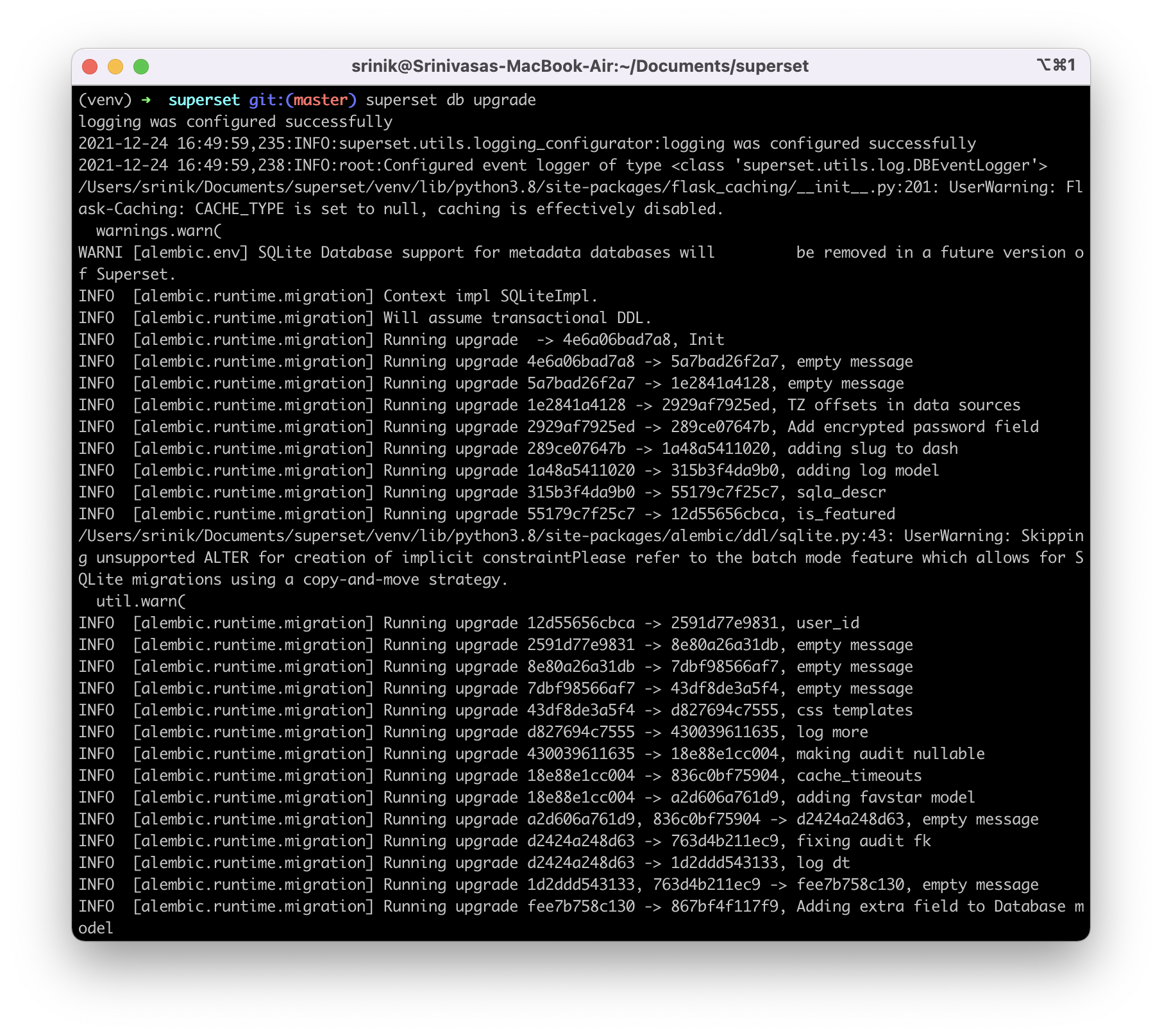
Where does the metadata database live?
Apparently, some database somewhere was upgraded. But where does that database actually live? After some exploring online, it seems that by default this database resides as a single SQLite database file over in my home directory:
cat ~/.superset/superset.db
Running this command returns a long list of all the schema definitions. This is cool! I look forward to understanding the schemas later.
Creating default roles
Next up, we need to create an admin user in our metadata database (fancy word for our little SQLite database!):
superset fab create-admin
Before we run the full command, what CLI commands are available within the superset fab namespace?
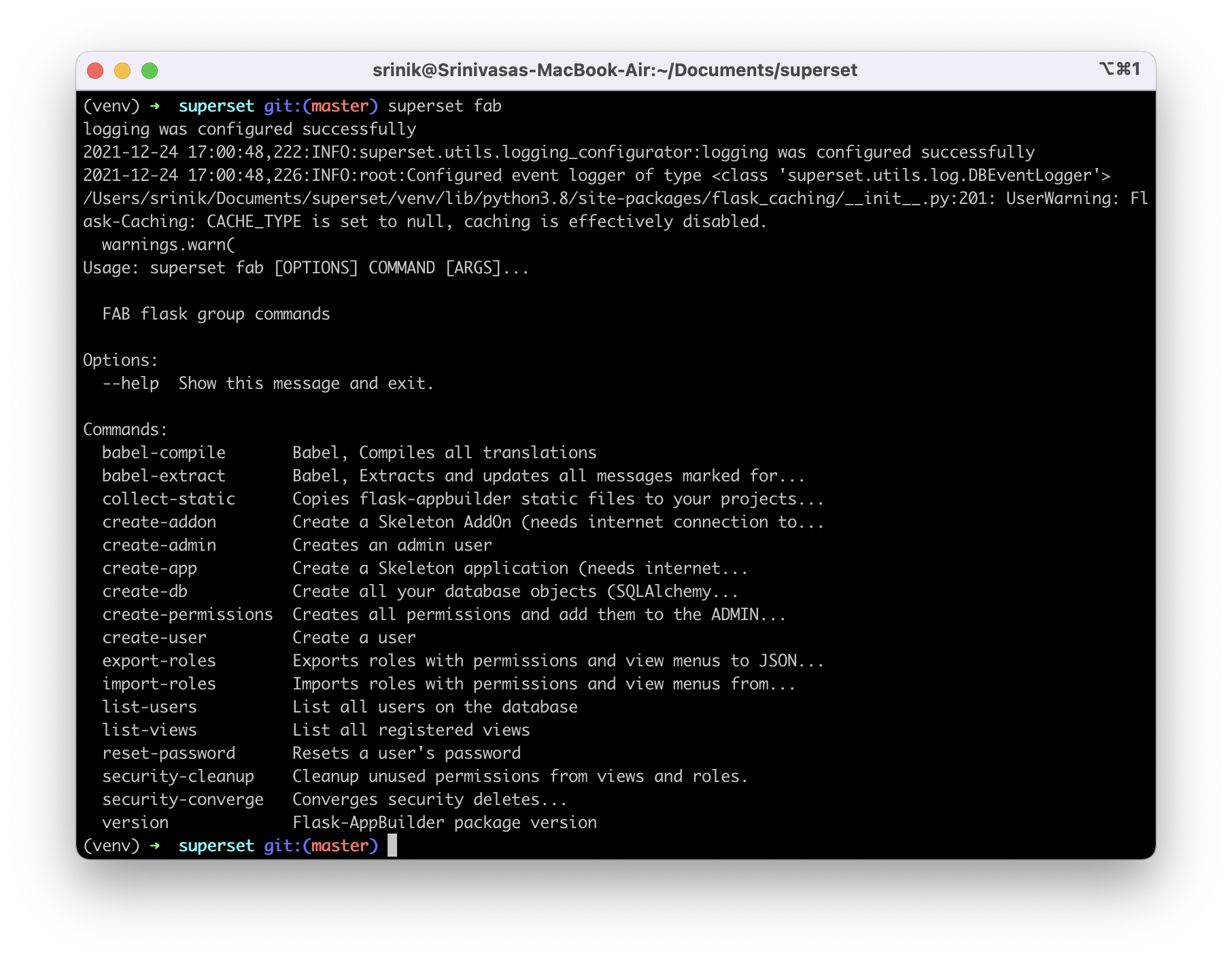
The commands here let us create admin users, create regular users, create database objects, reset a user's password, and more. Let's create an admin user by running superset fab create-admin. To keep this simple during exploration, I just answered admin for every line in the wizard:
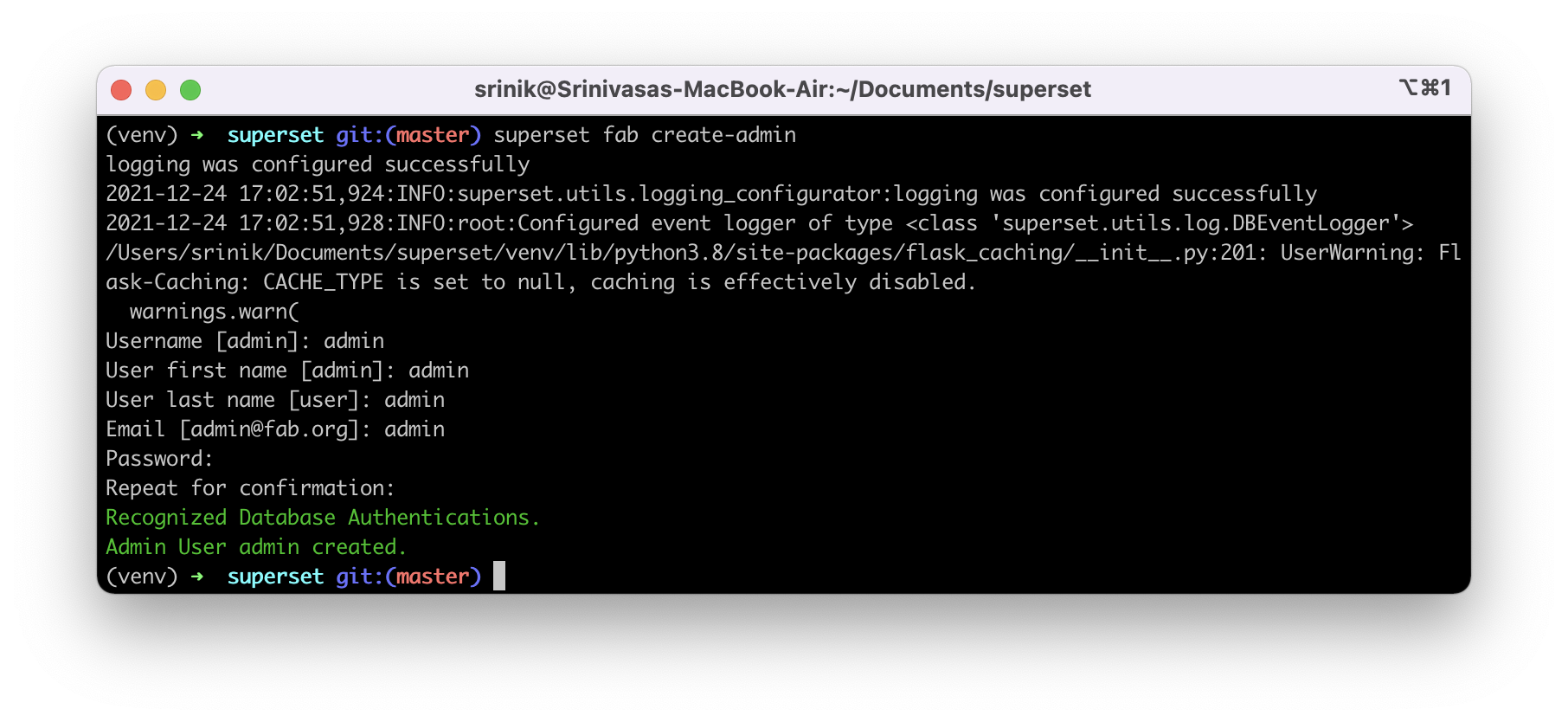
We now have an admin username (admin) and password (admin) combination for logging in to Superset, when the time is right. Next, let's create the rest of the roles and permissions:
superset init
It's interesting that this command isn't part of the superset fab command list.
Example Data
Let's load up the example datasets and dashboards, many of which were actually created by yours truly!
superset load-examples
What all is loaded? How does this actually work? For fun, let's dive into the functions & relevant codepaths. Let's start with the function definition for superset load-examples. To follow Pythonic syntax, we need to instead look for load_examples() in superset/cli.py. Here's the function declaration:
@with_appcontext
@superset.command()
@click.option("--load-test-data", "-t", is_flag=True, help="Load additional test data")
@click.option("--load-big-data", "-b", is_flag=True, help="Load additional big data")
@click.option(
    "--only-metadata", "-m", is_flag=True, help="Only load metadata, skip actual data",
)
@click.option(
    "--force", "-f", is_flag=True, help="Force load data even if table already exists",
)
def load_examples(
    load_test_data: bool,
    load_big_data: bool,
    only_metadata: bool = False,
    force: bool = False,
) -> None:
    """Loads a set of Slices and Dashboards and a supporting dataset"""
    load_examples_run(load_test_data, load_big_data, only_metadata, force)
While most of the code focuses on the possible CLI options & function parameters, the actual function definition is a single line:
load_examples_run(load_test_data, load_big_data, only_metadata, force)
If we jump to that function declaration, it's much much longer. This must be where the meat of the logic is for loading examples. Here's a screenshot of just the first half!
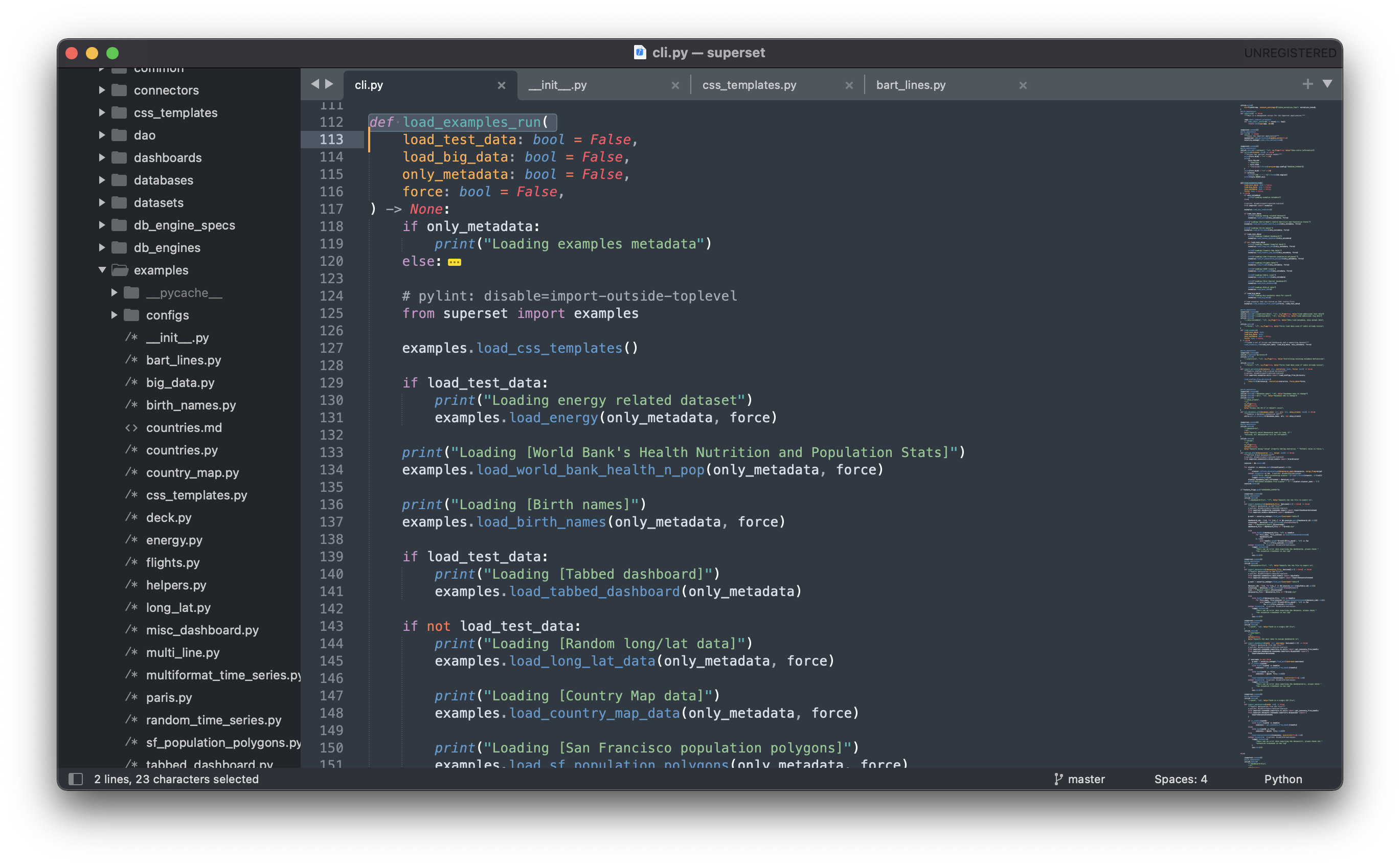
This line looks interesting:
from superset import examples
If I poke through the file structure for Superset, I find a folder dedicated to examples (superset/examples). The __init__.py file for this folder defines each function mapping:
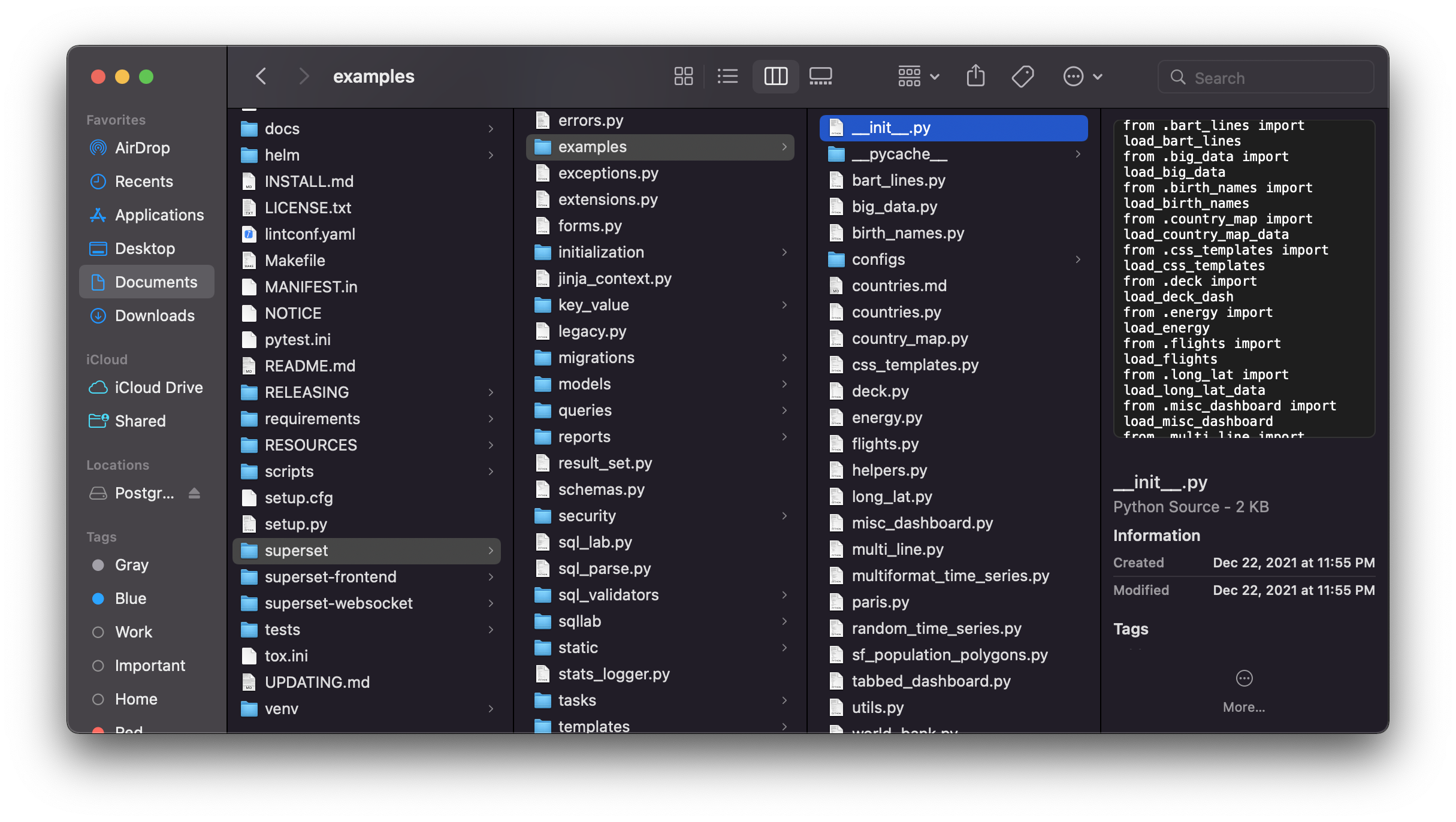
Cool! What should I look at next?
examples.load_css_templates()
Superset ships with two default CSS templates for dashboards, so this code is likely how that data is loaded. Let's crack open the def load_css_tesmplates() function, which lives in superset/examples/load_css_templates.py.
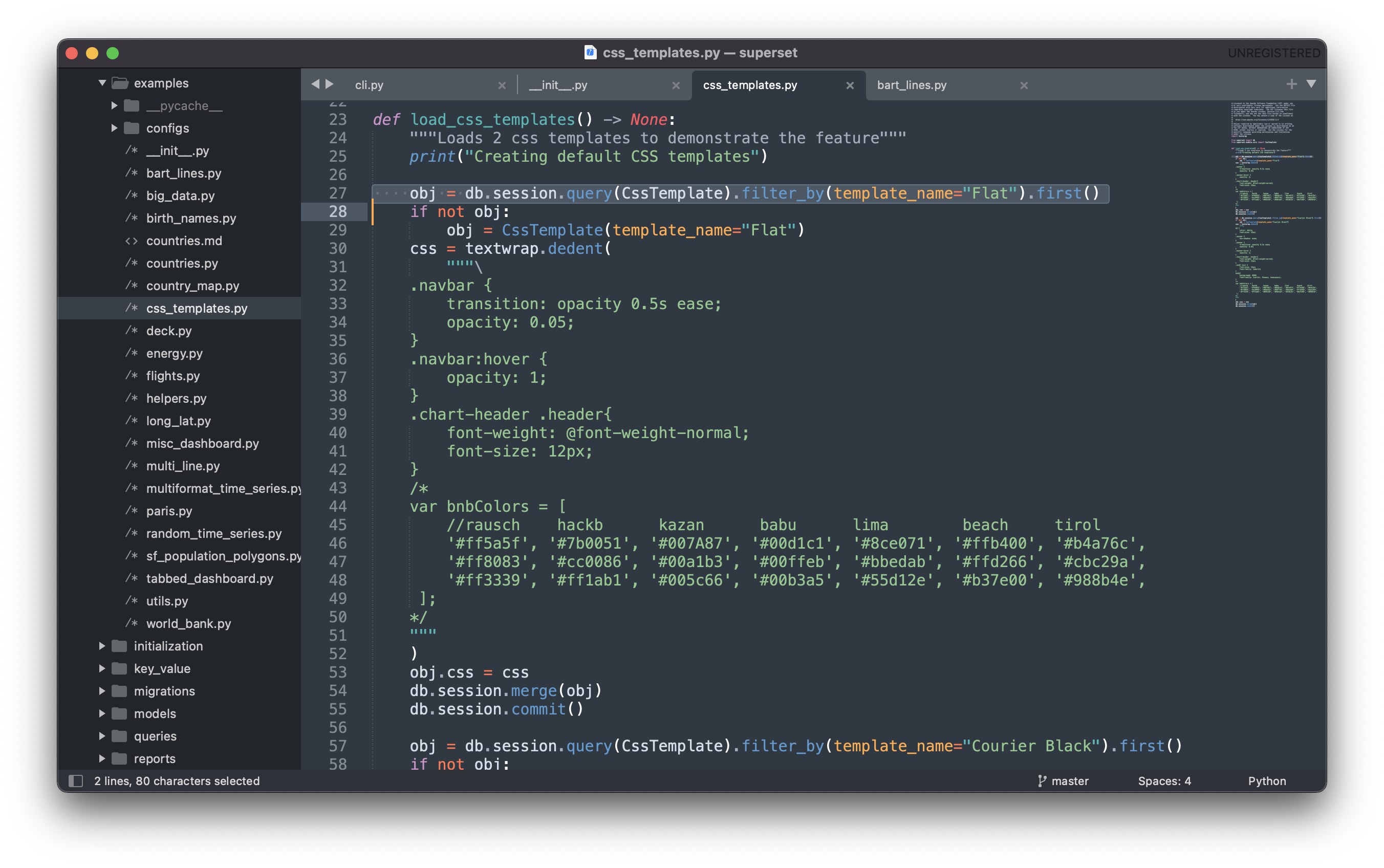
Each CSS template is loaded one after another. Let's step through the key parts of the code to better understand it.
obj = db.session.query(CssTemplate).filter_by(template_name="Flat").first()
Here we see the db object again, from earlier. Unsurprisingly, there's a matching import statement for it:
from superset import db
from superset.models.core import CssTemplate
The CssTemplate data model itself looks very simple, as defined in superset/models/core.py:
class CssTemplate(Model, AuditMixinNullable):

    """CSS templates for dashboards"""

    __tablename__ = "css_templates"
    id = Column(Integer, primary_key=True)
    template_name = Column(String(250))
    css = Column(Text, default="")
As a mental note to myself, this table is named css_templates in the metadata database.
The rest of the code smells a lot like SQLAlchemy syntax:
db.session.query(CssTemplate).filter_by(template_name="Flat").first()
While I'm not too familiar with the Superset data model yet, this code likely:
- Attaches to a SQLAlchemy session / transaction
- Queries the metadata database, searching for a matching CssTemplate object with the name Flat
- And the
first()at the end is probably just for good measure, in case there are duplicate results
The goal likely here is to search for an existing entry in the metadata database for the Flat CSS template. If an existing entry in the metadata database wasn't found, a new CssTemplate object is instantiated for the purpose of inserting later:
if not obj:
    obj = CssTemplate(template_name="Flat")
Then, the CSS itself is defined as a hard-coded string (shortened extensively below):
css = textwrap.dedent(
    """\
    .navbar {
        transition: opacity 0.5s ease;
        opacity: 0.05;
    }
    ....
    """
    )
Finally, the string is set to the instianted CssTemplate object's css column and inserted into the metadata database:
obj.css = css
    db.session.merge(obj)
    db.session.commit()
This whole process is then repeated to add the Courier Black CSS template.
Phew! This was just the CSS templates. No example datasets or example dashboards yet. Because I'm running out of time today, I'll circle back to the code paths for those a later day.
Starting Flask Server
The last step now is to fire up the Flask server and see how Superset looks in the web browser.
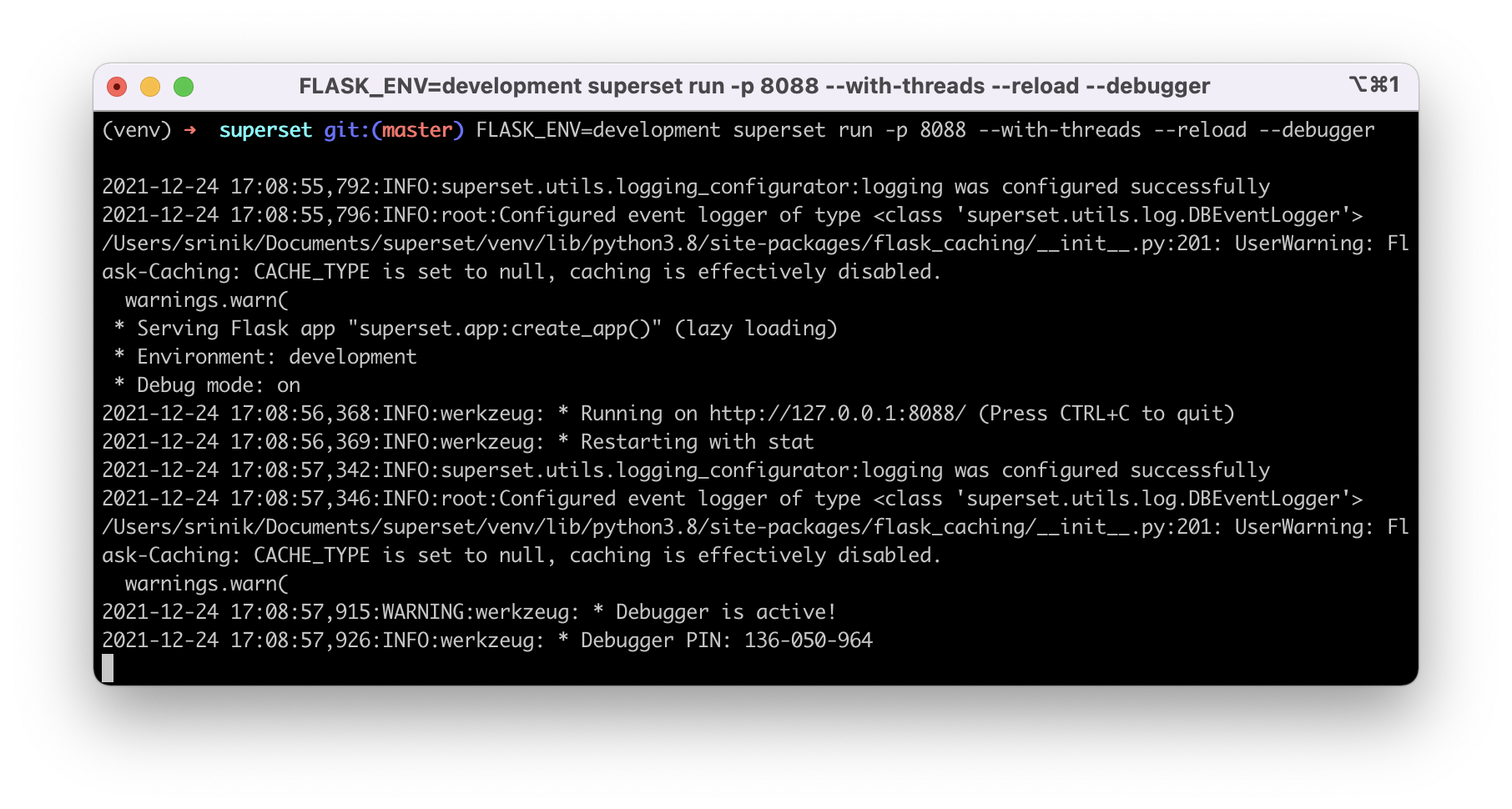
FLASK_ENV=development superset run -p 8088 --with-threads --reload --debugger
By default, Flask will run on port 8088 but we can change the port number by changing the value we put in the invocation.
We're shown a somewhat incomplete and outdated login screen. This is interesting.
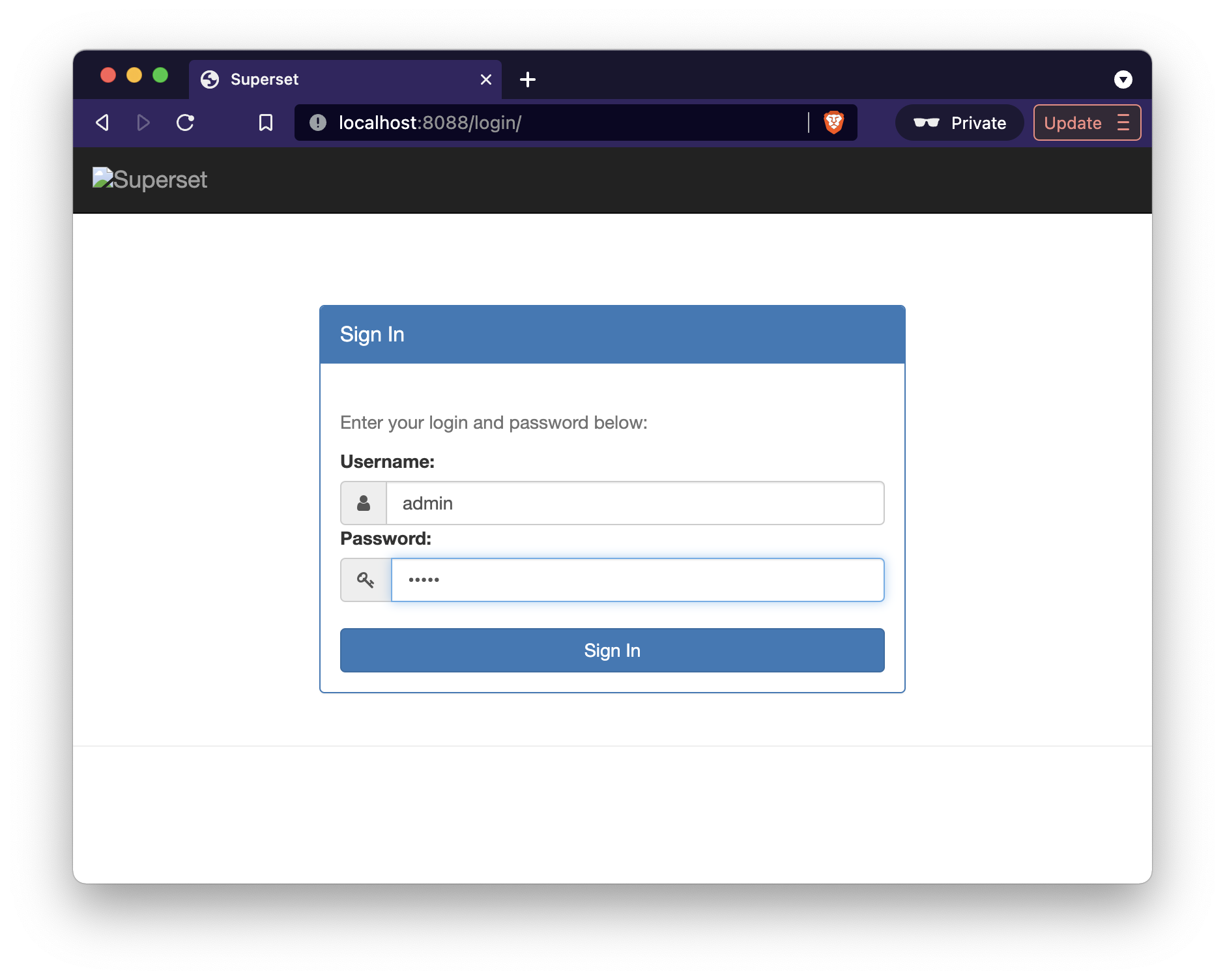
My guess here is that somewhere, the frontend assets need to be built. This seems to align with the comments listed before the flask server initialization instructions:
# Start the Flask dev web server from inside your virtualenv.
# Note that your page may not have CSS at this point.
# See instructions below how to build the front-end assets.
Let's save frontend for Day 3!
Day 3 (Frontend Setup)
In Day 3, I'm going to dive into setting up the frontend. In general, I'm quite new to the frontend ecosystem, so expect lots of tangents to fill in knowledge gaps along the way!
We'll start with the Frontend section from CONTRIBUTING.MD.
The first paragraph has some helpful historical context:
Frontend assets (TypeScript, JavaScript, CSS, and images) must be compiled in order to properly display the web UI. The superset-frontend directory contains all NPM-managed frontend assets. Note that for some legacy pages there are additional frontend assets bundled with Flask-Appbuilder (e.g. jQuery and bootstrap). These are not managed by NPM and may be phased out in the future.
Node
Thankfully, I've used Node a little bit before. Let me check what version I have installed on this computer. Usually the --version flag will do the trick!
node --version
> v17.3.0
The guide recommends Node 16, but Node 17.x should be fine. Let's check the npm version next. Npm is the Node package manager:
npm --version
> 8.3.0
The guide recommends using nvm to manage different Node versions. This is helpful advice, but I don't want to prematurely optimize and add more abstraction / complexity than needed. So let's soldier on for now.
Package.json
The package.json is the Node equivalent to Python's requirements.txt file. For Superset, the package.json file lives within the superset/superset-frontend/ folder. Let's switch into that folder.
What's actually in this file? A. LOT. Let's break some of this down.
{
  "name": "superset",
  "version": "0.0.0dev",
  "description": "Superset is a data exploration platform designed to be visual, intuitive, and interactive.",
  "keywords": [
    "big",
    "data",
    "exploratory",
    "analysis",
    "react",
    "d3",
    "airbnb",
    "nerds",
    "database",
    "flask"
  ],
This line is interesting: "version": "0.0.0dev". I wonder if this is where the Superset version value that's shown in the Superset UI lives?
As a quick detour, I wonder what this value in the package.json file in the Superset v1.4 release looks like?
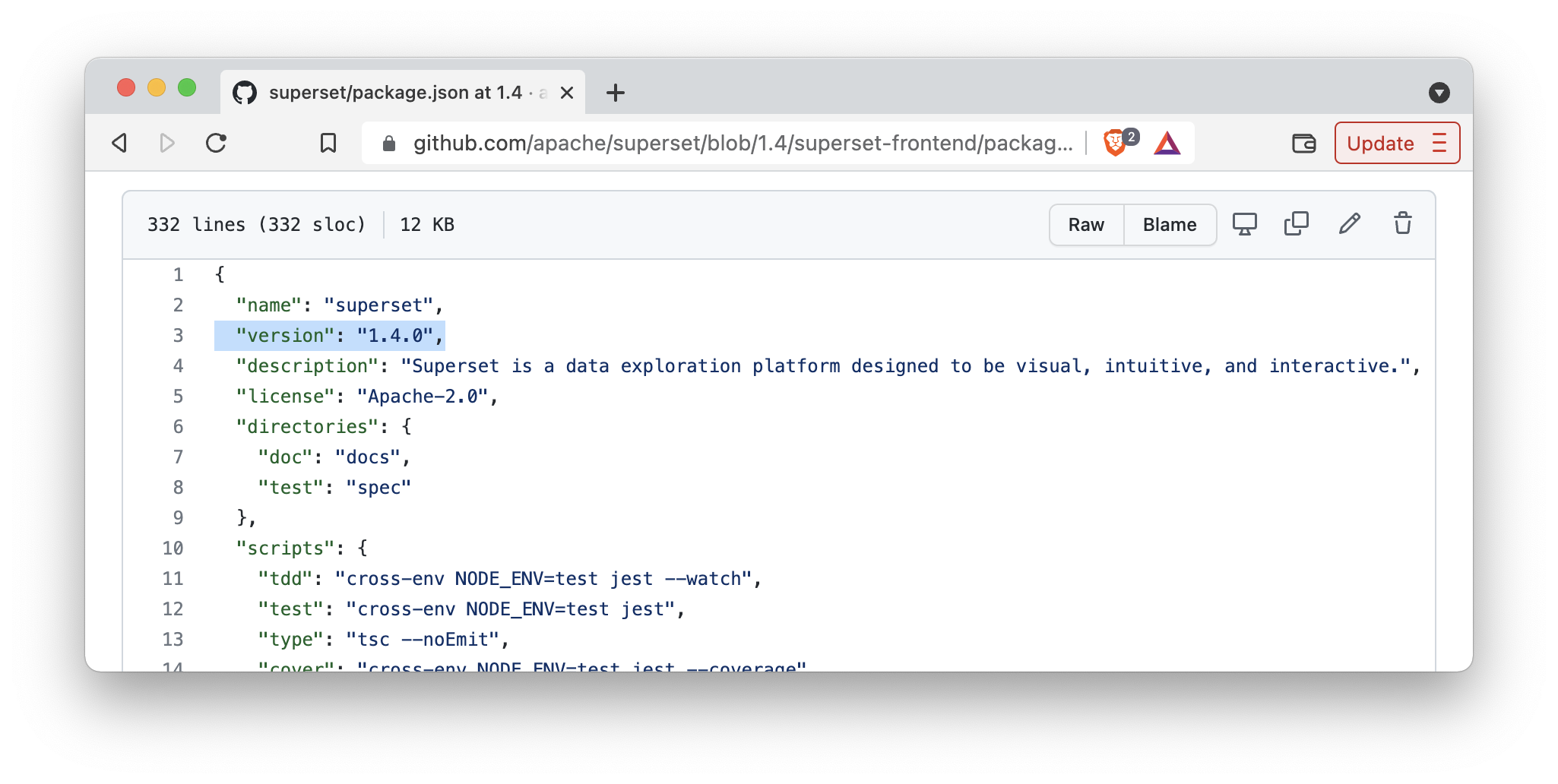
My hunch was right! 1.4 is harcoded as a string in the package.json file. Cool!
Then we can run npm install, which should use the superset-frontend/package.json file. But the documentation suggests npm ci. Searching online suggests using npm ci if there's an existing package-lock.json file.
Because the project has an existing package-lock.json file, let's use npm ci!
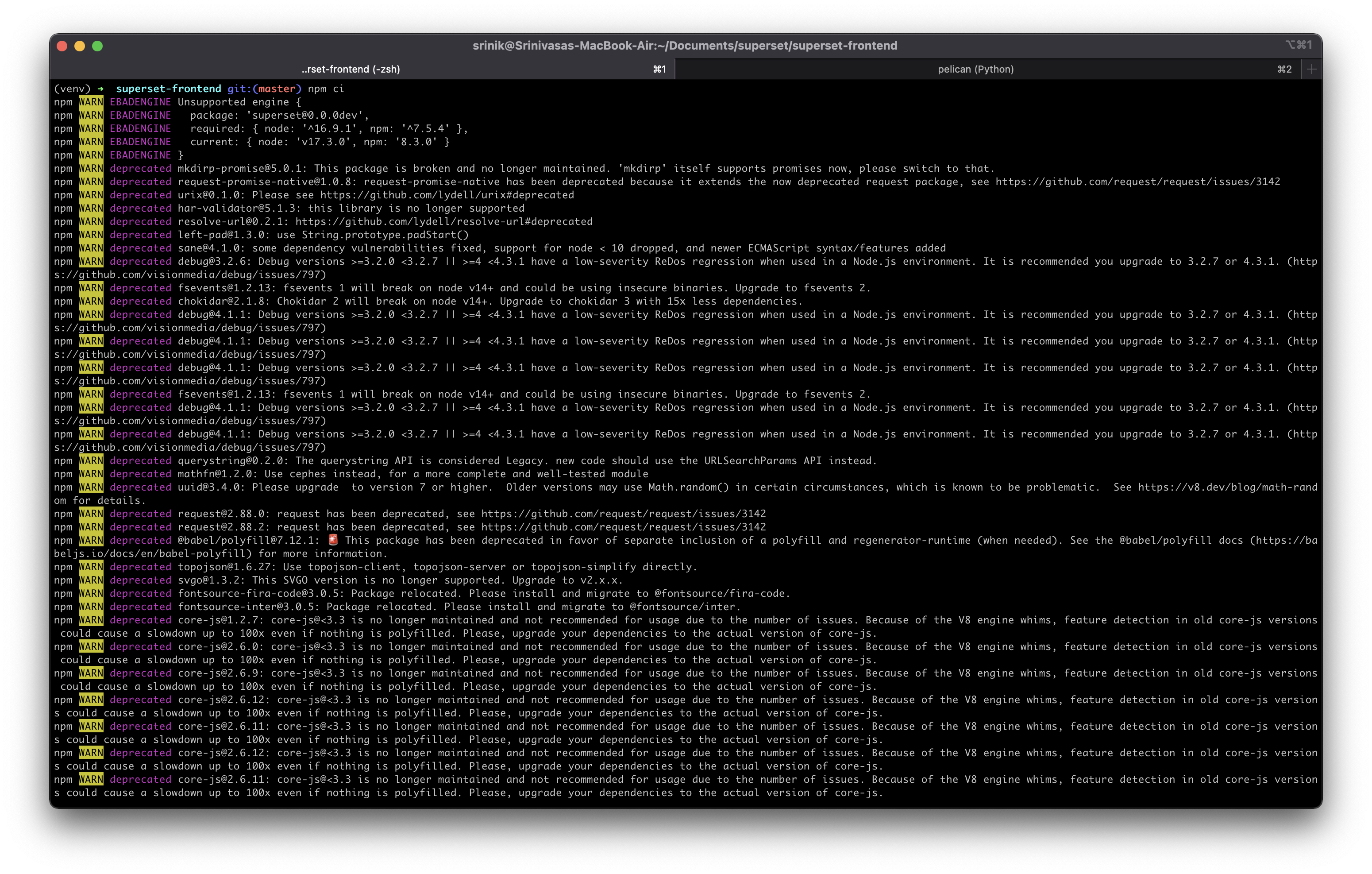
In the first half of the CLI output, I see that npm installed 5009 packages and displayed a bunch of deprecation warnings.
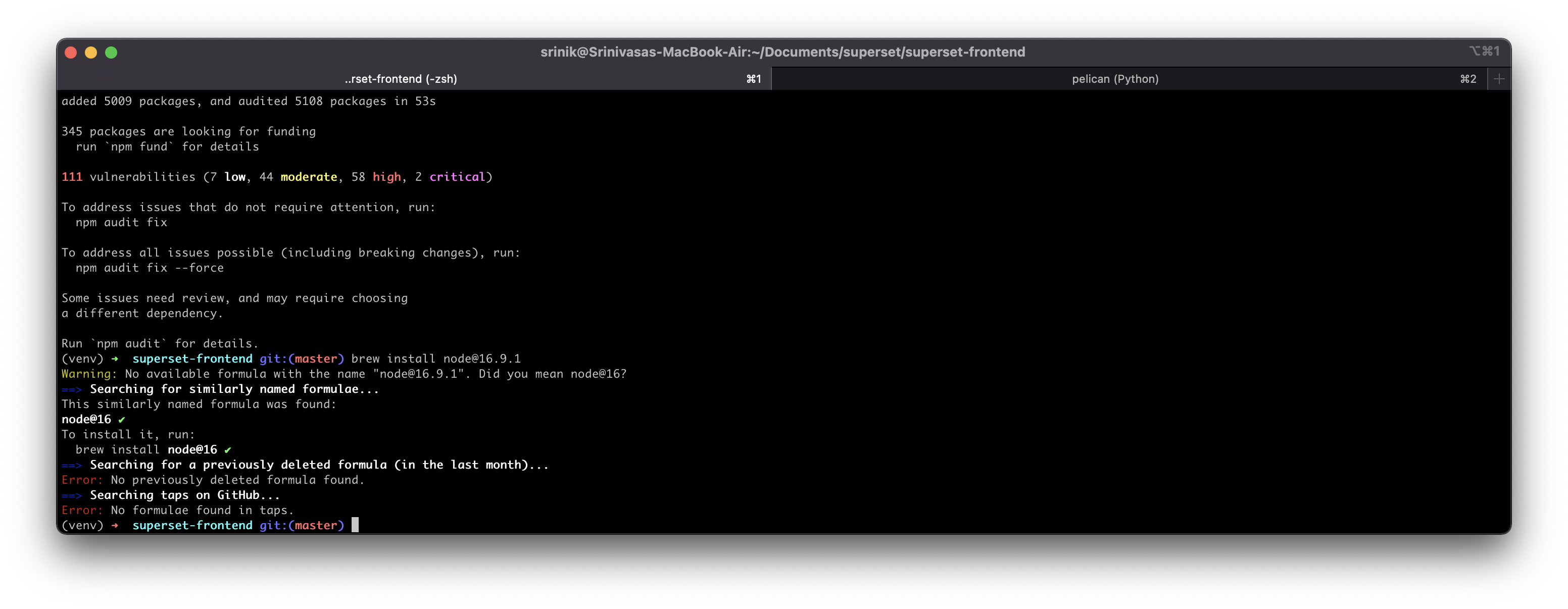
In the second half of the CLI output, I see that there are 111 vulnerabilities. I'm noting both of these down (through this post!) to investigate later.
Build Frontend Assets
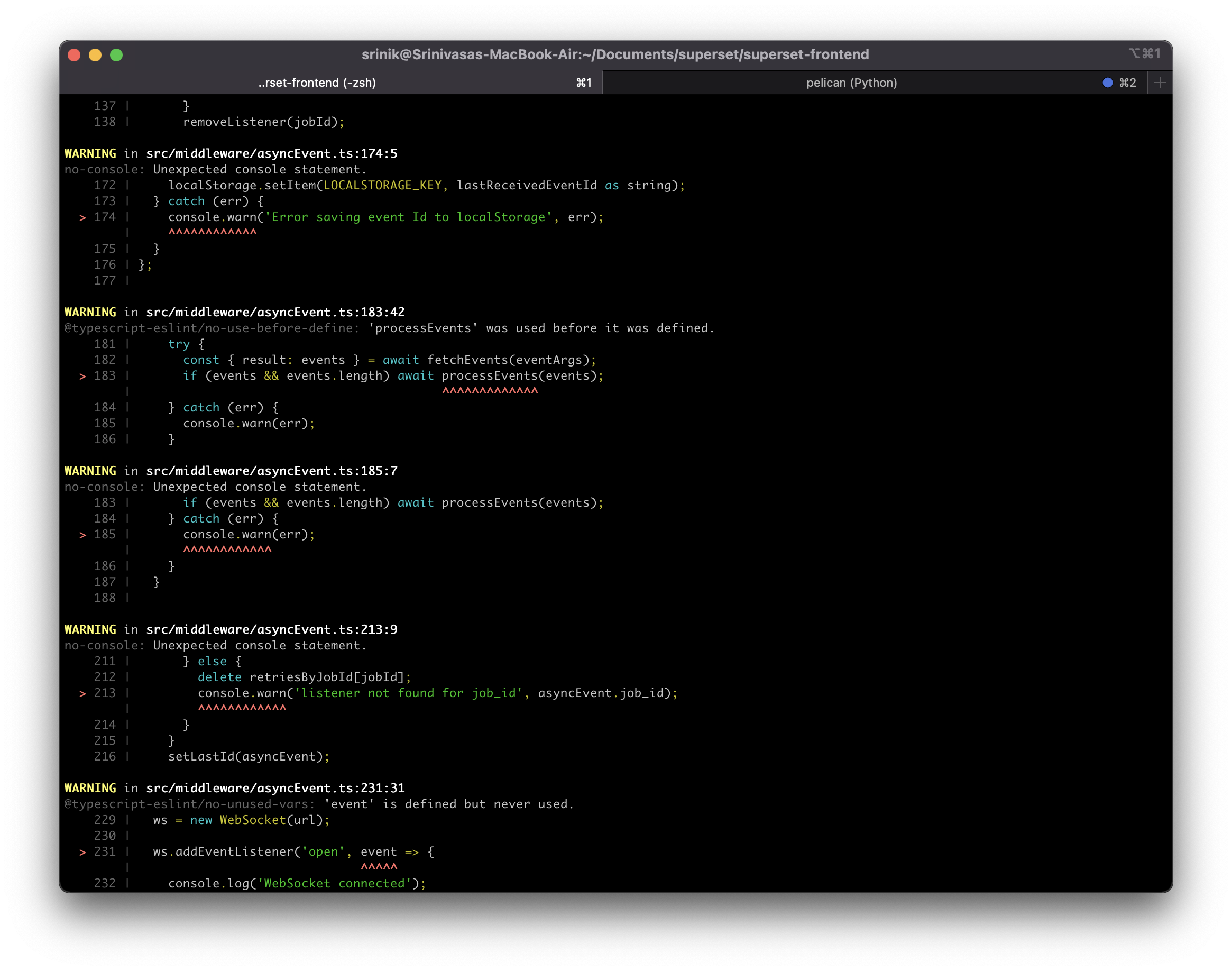
Next, as the guide suggests, I will run npm run build. After a few minutes, I was presented with many warnings but some indication that the build succeeded?
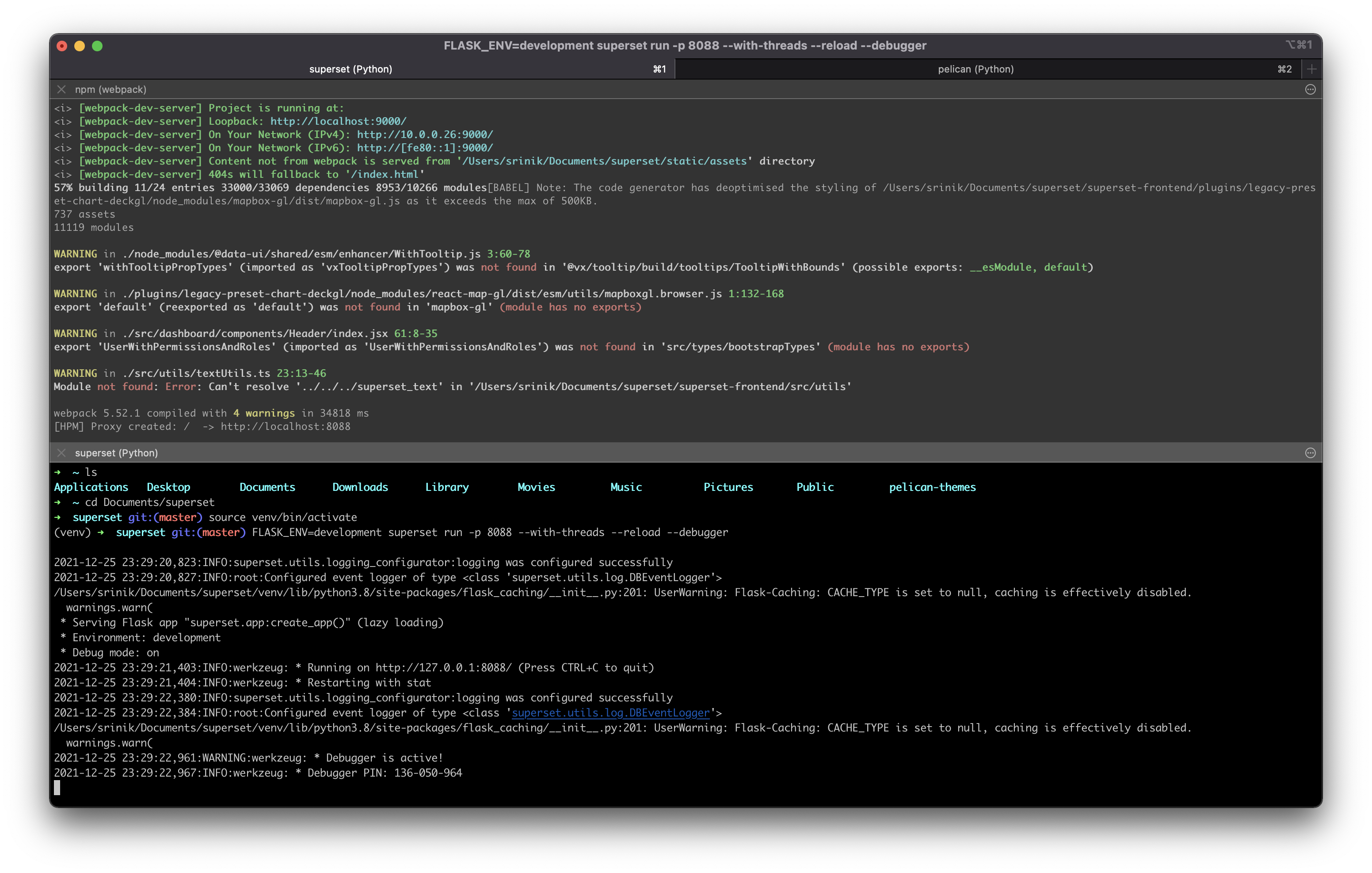
Next, we can start the dev server at port 9000 by running:
npm run dev-server
Here's what the CLI output looks like with both the frontend and backend runinng simultaneously:
Exciting! Now if I head to localhost:8088, I should see Superset:
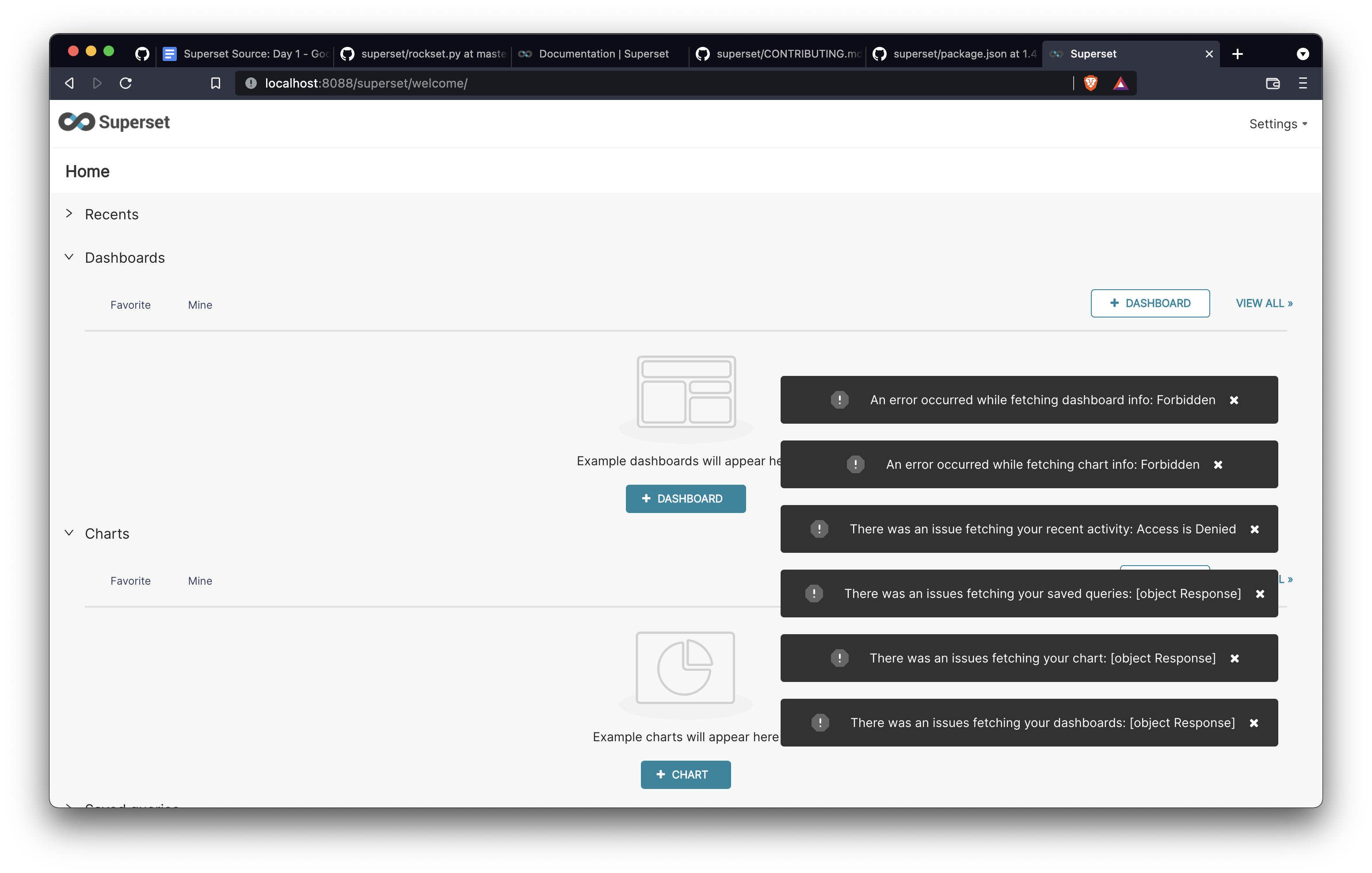
Hmm, that's curious. I'm logged in as the admin and I'm still seeing issues.
Unfortunately I'm out of time for today, so I'll have to debug this on Day 4!
Day 4 (Superset & Flask Entrypoint)
I ended Day 3 by setting up the backend and frontend servers, but running into the following error.
For good measure, I'm going to shut down and restart the backend server. Success!
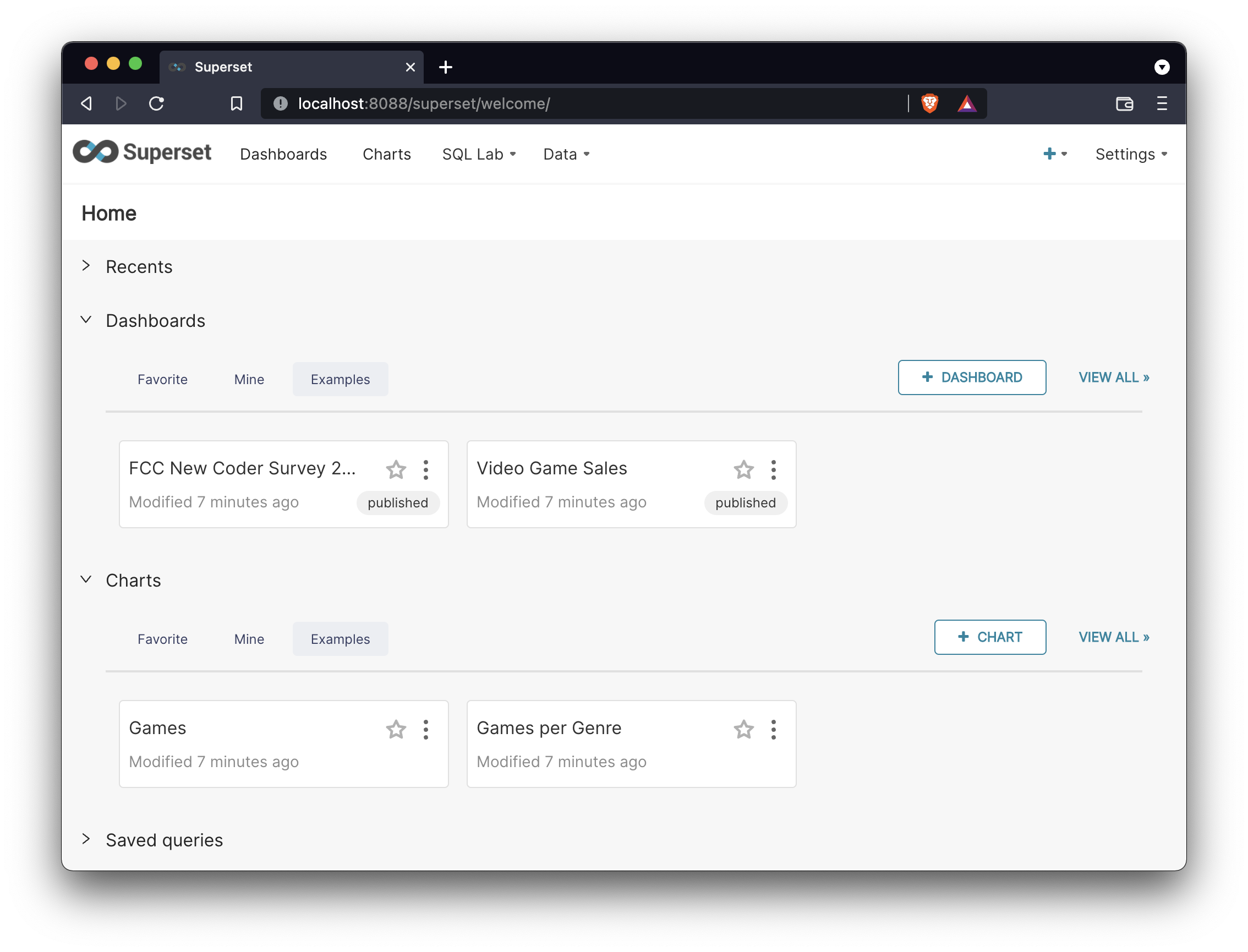
No thumbnails though ☹️. Well I do know from previous experience that thumbnails require setting up a separate celery server. This will need separate investigation.
Now that I have Superset up and running, what should I look into next? I really want to dive deeper into how the example datasets, charts, and dashboards are loaded. This will force me to better understand the internal Superset data model.
How the Superset Examples Work
The world health dashboard looks interesting and like one of the more complex ones. I'll start by poking deeper into this one:
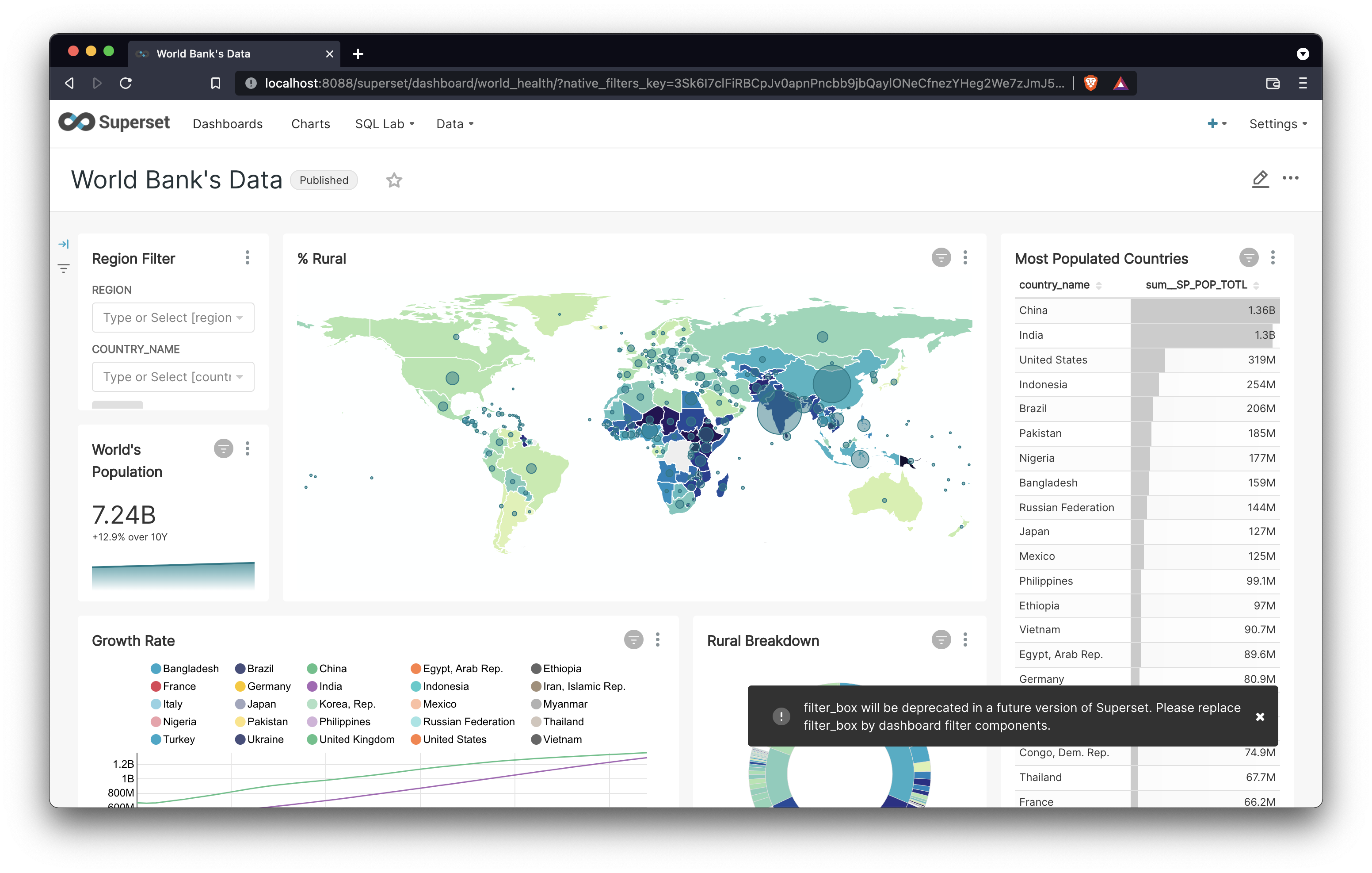
Here's the relevant function call from superset/cli.py:
print("Loading [World Bank's Health Nutrition and Population Stats]")
examples.load_world_bank_health_n_pop(only_metadata, force)
Sooo, let's get into it. Where does the second line of code actually point to? As I mentioned in Day 2, the superset/superset/examples/__init__.py file contains mappings like this one:
from .world_bank import load_world_bank_health_n_pop
This means that the load_world_bank_health_n_pop() function lives in examples/world_bank.py! Here's a preview of the first 8 lines:
def load_world_bank_health_n_pop(  # pylint: disable=too-many-locals, too-many-statements
    only_metadata: bool = False, force: bool = False, sample: bool = False,
) -> None:
    """Loads the world bank health dataset, slices and a dashboard"""
    tbl_name = "wb_health_population"
    database = utils.get_example_database()
    engine = database.get_sqla_engine()
    schema = inspect(engine).default_schema_name
    table_exists = database.has_table_by_name(tbl_name)
The first line almost surely refers to the table name in the examples database.
tbl_name = "wb_health_population"
How can I confirm this? The fastest way is to probably crack open SQL Lab and inspect the table name for the examples database.
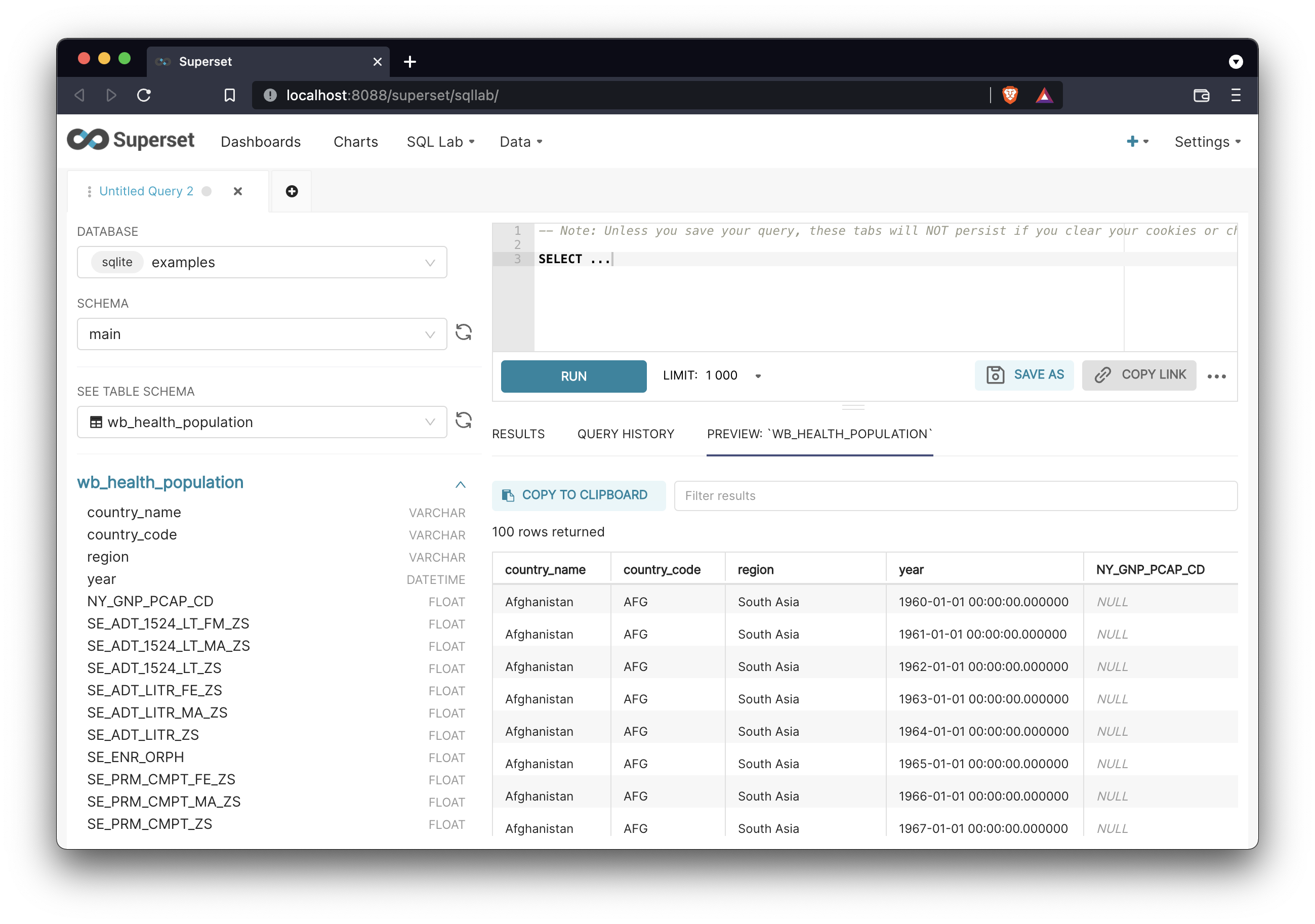
Confirmed. Let's check out the next line:
database = utils.get_example_database()
Ah yes, the art of the utils! The perfect hiding place for some arbitrary functions. Where does this point to?
from superset.utils import core as utils
So there should be a utils/core.py file. Oh boy, this file is 1835 lines of code. But it does have the get_example_database() function that's called. The function definition is pretty short so I'm including it here in it's entireity:
def get_example_database() -> "Database":
    db_uri = (
        current_app.config.get("SQLALCHEMY_EXAMPLES_URI")
        or current_app.config["SQLALCHEMY_DATABASE_URI"]
    )
    return get_or_create_db("examples", db_uri)
Now we're getting somewhere! This function tells the app which database is designated as the examples one. First things first, where is current_app defined?
from flask import current_app, flash, g, Markup, render_template, request
The current_app object is imported from flask, which is a Python microframework for creating web applications.
Note to self: I need to dig into the relationship between Flask and Flask App-builder later on.
After a quick Google search, I found the page in the flask documentation on the current application context. Perusing this page, this reminds me a lot of of the request object from my Ruby on Rails days. This was a form of passing application state around.
This is essentially a way to reference values specific to the current instance running of the running Superset application.
The application context keeps track of the application-level data during a request, CLI command, or other activity. Rather than passing the application around to each function, the current_app and g proxies are accessed instead.
This is similar to The Request Context, which keeps track of request-level data during a request. A corresponding application context is pushed when a request context is pushed.
Well what do you know! There's a call out to the flask version of the request object that's similar to the one from Rails! My hunch was spot on.
App Factory Pattern
To take a step back, what actually happens when I run superset run from the CLI?
The flask documentation suggests that the def create_app() function definition is likely to be the entrypoint to the flask application at the core of Superset that is called when flask run or an equivalent is run.
A quick search in my text editor found only one non-test-related definition for create_app(), found in superset/superset/app.py:
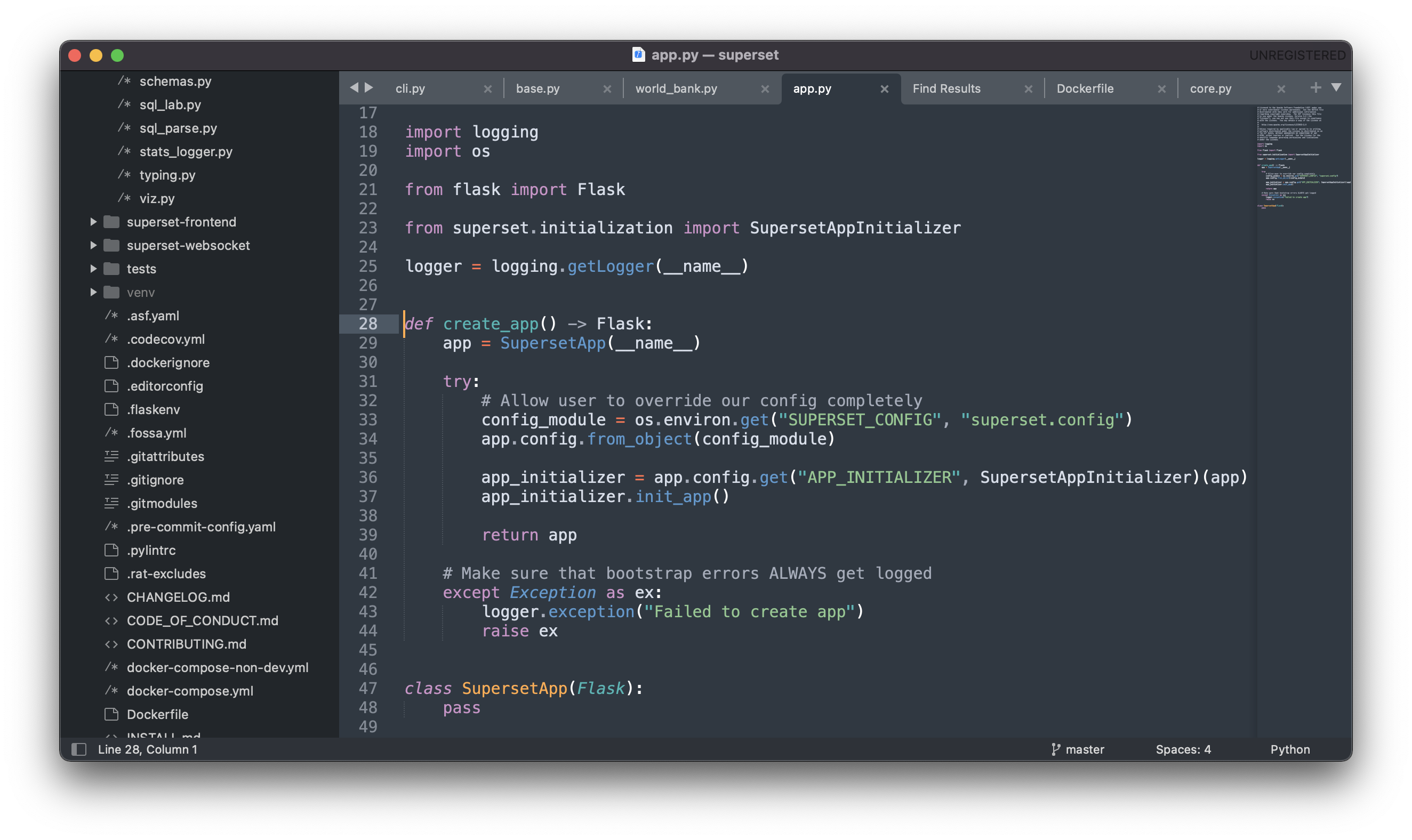
These lines especially look relevant to our investigation of how:
- the World Health dashboard is loaded
- how
current_app.config.get("SQLALCHEMY_EXAMPLES_URI")resolves - getting closer to
current_app
try:
    # Allow user to override our config completely
    config_module = os.environ.get("SUPERSET_CONFIG", "superset.config")
    app.config.from_object(config_module)
Next Steps
I feel closer to understanding all of the links here, but sadly I'm out of time today. Here are the open questions I still have:
- What's the link between
create_app()andcurrent_app? - Where is the value for
SQLALCHEMY_EXAMPLES_URIactually set? - How does this line of code actually work:
os.environ.get("SUPERSET_CONFIG", "superset.config")?
Day 5 (More Flask App)
I ended Day 4 trying to understand how the World Health dashboard was imported. I walked away with a lot of open questions around how the flask app factory pattern worked. After sleeping on it and approaching with fresh eyes, I'm excited to hopefully make more progress today.
Flask App Context
I spent the morning reading the following articles from the excellent Flask documentation:
After going deep into these, I'll attempt to walkthrough everything I learned.
As I mentioned in the last post, the crucial entry-point into the Flask application is the create_app() function from superset/superset/app.py. Here's the entire function definition:
def create_app() -> Flask:
    app = SupersetApp(__name__)

    try:
        # Allow user to override our config completely
        config_module = os.environ.get("SUPERSET_CONFIG", "superset.config")
        app.config.from_object(config_module)

        app_initializer = app.config.get("APP_INITIALIZER", SupersetAppInitializer)(app)
        app_initializer.init_app()

        return app

    # Make sure that bootstrap errors ALWAYS get logged
    except Exception as ex:
        logger.exception("Failed to create app")
        raise ex
Within create_app(), the following line of code defines what current_app refers to:
app = SupersetApp(__name__)
The current_app variable acts as a global variable for different parts of your application to reference & use. The following line of code retrieves information from the SUPERSET_CONFIG environment variable (using os.environ.get()) and defaults to superset.config if not found:
config_module = os.environ.get("SUPERSET_CONFIG", "superset.config")
Then, the configuration information is loaded and attached to the app object (elsewhere in the application it would be referenced as current_app).
app.config.from_object(config_module)
All of the information so far suggests that the SQLALCHEMY_EXAMPLES_URI value is meant to be configured, which makes sense!
- By default in a native Superset installation, the SQLite database in my home directory is used.
- But within the Docker Compose image for Superset, the included Postgres database is used instead.
There's still SO much I don't understand about Flask, but I need to do a separate, multi-day deep dive into that web framework. I want to balance breadth with depth here and it may be time to move on with the cursory understanding I have.
Note to self: Go through Flask mega-tutorial, which seems to be consistently recommended by people online!
Examples Database
I want to come back for air, and circle back to how the World Health dashboard is loaded into the Superset metadata database. I want to understand this function better, which is called from the load_world_bank_health_n_pop() function in world_bank.py:
def get_example_database() -> "Database":
    db_uri = (
        current_app.config.get("SQLALCHEMY_EXAMPLES_URI")
        or current_app.config["SQLALCHEMY_DATABASE_URI"]
    )
    return get_or_create_db("examples", db_uri)
The first clause looks interesting:
db_uri = (
        current_app.config.get("SQLALCHEMY_EXAMPLES_URI")
        or current_app.config["SQLALCHEMY_DATABASE_URI"]
    )
This code is attempting to look up the database URI based on the app's configuration settings. We know that current_app.config.get() looks up values from superset/superset/config.py. At 1337 lines of code, the config.py file is massive. It contains code mostly assigning values to all-upper-case variable names. Here's an example:
SQLALCHEMY_EXAMPLES_URI = None
Here's a walkthrough of how db_uri is calculated:
- The first clause is attempting to find a truthy value, between
SQLALCHEMY_EXAMPLES_URIandSQLALCHEMY_DATABASE_URI. - Because by default
SQLALCHEMY_EXAMPLES_URIis set toNone, the value forSQLALCHEMY_DATABASE_URIis then looked up. - By default,
SQLALCHEMY_DATABASE_URIis assigned to evaluate:"sqlite:///" + os.path.join(DATA_DIR, "superset.db")
Now we're getting somewhere! The sqlite:/// and "superset.db" parts smells a lot like the location of the sqlite metadata database that lives in my home directory that I dug up in my Day 2 post:
cat ~/.superset/superset.db
But what's this DATA_DIR value and how is it computed? I did a quick search within superset/superset/config.py and the first instance of DATA_DIR is referenced here:
if "SUPERSET_HOME" in os.environ:
    DATA_DIR = os.environ["SUPERSET_HOME"]
else:
    DATA_DIR = os.path.join(os.path.expanduser("~"), ".superset")
Because I didn't specifically set SUPERSET_HOME in my environment variables, then the second code path is being evaluated instead:
DATA_DIR = os.path.join(os.path.expanduser("~"), ".superset")
I quickly ran this in a new Python shell and the result mapped exactly to the .superset/ folder within my home directory:
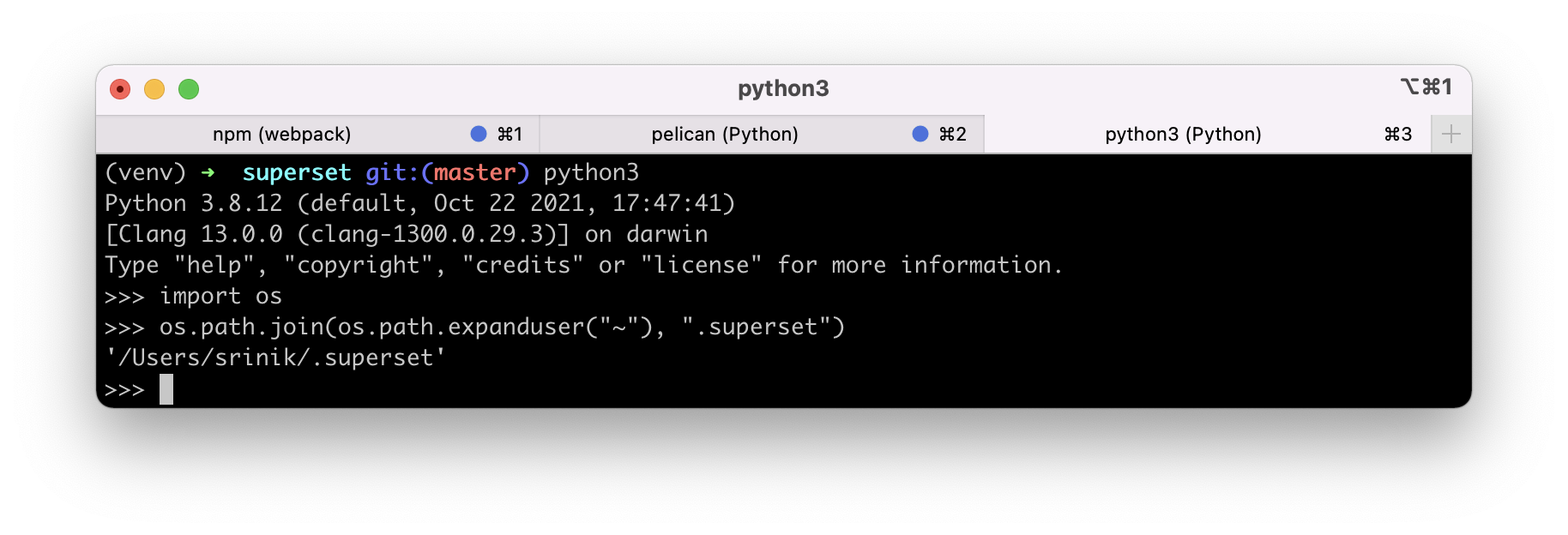
This means that SQLALCHEMY_DATABASE_URI points to my metadata database, as expected. Progress!
Finally, this means that the get_example_database() function will return the location to my sqlite database or it will create it if it doesn't exist (as the name get_or_create_db() suggests):
return get_or_create_db("examples", db_uri)
The return value of utils.get_example_database() is assigned to the database variable.
Superset Shell
While reading function definitions is great, the only way to learn technical concepts is getting your hands dirty and actually running code yourself.
What's the best way to actually accomplish this though, while having the application lifecycle state loaded for me to interact with?
Some searching online led me to this page in the Flask docs, which mentions the following:
To explore the data in your application, you can start an interactive Python shell with the shell command. An application context will be active, and the app instance will be imported.
I also know that Superset extends many of the underlying Flask metaphors and I remember seeing superset shell listed when running the Superset CLI:
...
run                       Run a development server.
set-database-uri          Updates a database connection URI
shell                     Run a shell in the app context.
sync-tags                 Rebuilds special tags (owner, type, favorited
...
I'm going to try this out:
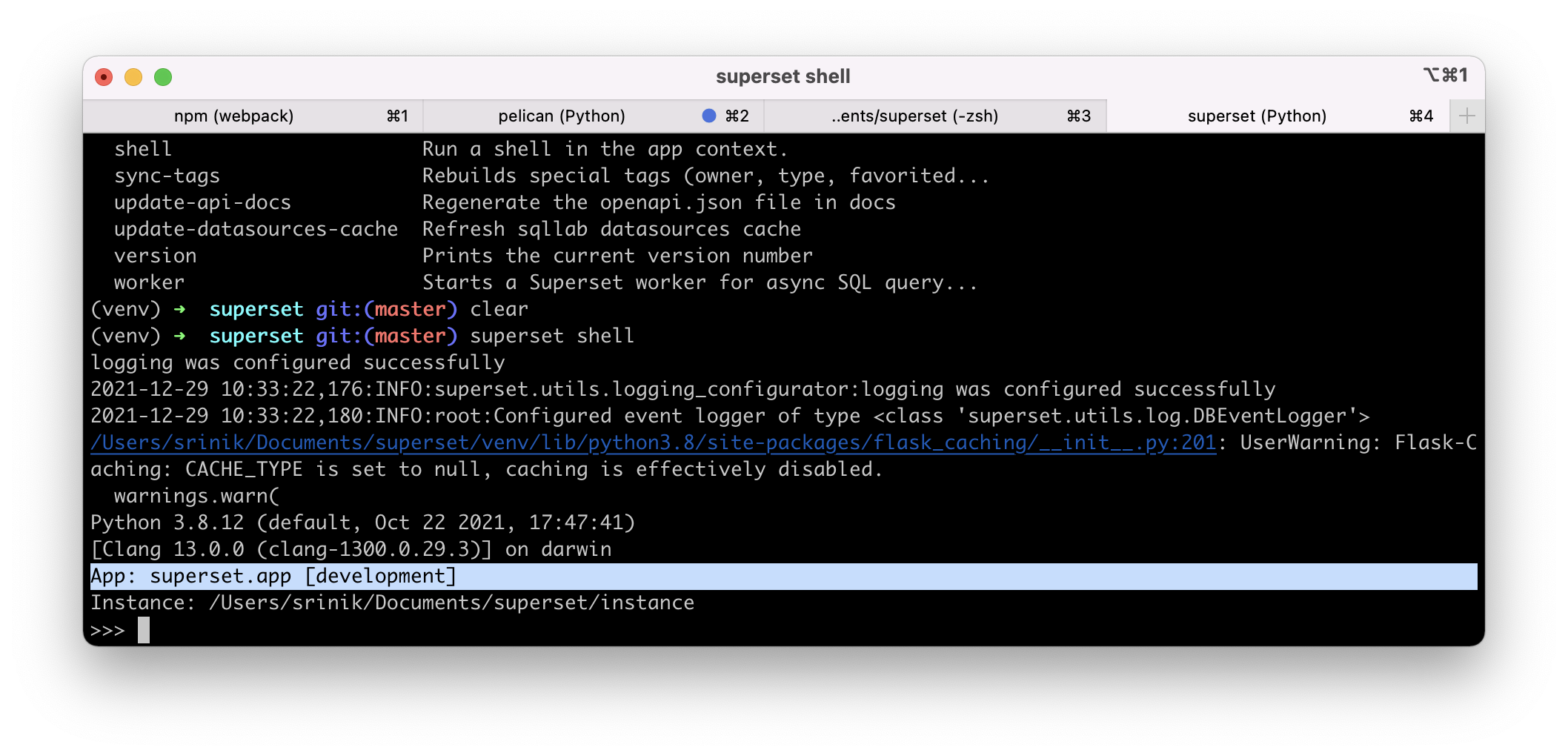
superset shell
Excellent! I now have a shell environment with the Superset App context loaded in:
Next Steps
I've run out of time for the day and will end here. Next, I want to step through all of the function calls in the World Health dashboard example using the Superset shell.
Day 6 (Database Class)
I ended Day 5 with the knowledge of the Superset shell and a hunch that it might be a better tool for understanding the different code paths for how an example is loaded.
Now I'm going to try running some commands to begin emulating what the app is doing when loading an example. First things first, let's run the utils.get_example_database() function call:
>>> from superset.utils import core as utils
>>> database = utils.get_example_database()
>>> database
examples
Interesting. Superset returns the string value "examples". This is likely just the string representation of the returned "Database" object. We know that the examples database in our Superset installation lives in my home directory, as a SQLite file. So running the next command within the load_world_bank_health_n_pop() function should give us that information:
>>> engine = database.get_sqla_engine()
>>> engine
Engine(sqlite:////Users/srinik/.superset/superset.db)
Success!
The Superset Database Class
Next, I want to better understand the returned database object. The class for Database is defined in superset/superset/models/core.py:
class Database(
    Model, AuditMixinNullable, ImportExportMixin
):  # pylint: disable=too-many-public-methods

    """An ORM object that stores Database related information"""

    __tablename__ = "dbs"
    type = "table"
    __table_args__ = (UniqueConstraint("database_name"),)

    id = Column(Integer, primary_key=True)
    verbose_name = Column(String(250), unique=True)
    # short unique name, used in permissions
    database_name = Column(String(250), unique=True, nullable=False)
    ...
This is the same file that has the model definition for the CSSTemplate class, as I stumbled into earlier in this series! At the top of core.py is the following text:
A collection of ORM sqlalchemy models for Superset
This file contains the class definitions for the following models:
- Url
- KeyValue
- CssTemplate
- ConfigurationMethod
- Database
- Log
- FavStarClassName
- FavStar
Let's dive deeper into the Database class!
Columns / Fields
The Database class defined in core.py maps to the "dbs" table in the metadata database, as suggested by this line of code:
__tablename__ = "dbs"
What other columns are defined?
id: integer, primary keyverbose_name: string, to specify a more human-friendly name?database_name: string, name of the databasesqlalchemy_uri: string, likely the URI sent to the underlying database driver to connectpassword: salted passwordcache_timeout: integer, corresponding to the cache timeout in seconds at the database levelselect_as_create_table_as: boolean, not sure what this doesexpose_in_sqllab: boolean, should this db be exposed in SQL Lab?configuration_method: string, type of form used to configure?- several
allow_fields around async, file upload, CTAS, CVAS, DML, multi schema metadata fetch, and other user-configurable features - several
extra_fields around encryption, fields, etc. - and more
String Representation
We know from our earlier exploration that running print() on a Superset Database object returns the database name. This aligns with the __repr__() definition for this model!
def __repr__(self) -> str:
        return self.name
Name Attribute
If I call the .name attribute on a Database object, the following is evaluated:
def name(self) -> str:
    return self.verbose_name if self.verbose_name else self.database_name
Interesting -- now we know how verbose_name is used! It's the preference for showing to humans, and database_name is the backup value displayed.
Data Attribute
What's next? The .data attribute looks interesting:
@property
    def data(self) -> Dict[str, Any]:
I want to run this for my Examples SQLite database and see what's returned:
>>> database.data
    {'id': 1,
    'name': 'examples',
    'backend': 'sqlite',
    'configuration_method': 'sqlalchemy_form',
    'allow_multi_schema_metadata_fetch': False,
    'allows_subquery': True,
    'allows_cost_estimate': False,
    'allows_virtual_table_explore': True,
    'explore_database_id': 1,
    'parameters': {},
    'parameters_schema': {}}
Reserved Words
Neat! I can also retrieve the reserved words for the database:
>>> database.get_reserved_words()
{'right', 'select', 'check', 'having', 'virtual', 'before', 'fail', 'conflict', 'current_timestamp', 'escape', 'full', 'case', 'references', 'drop', 'begin', 'cast', 'view', 'of', 'insert', 'on', 'outer', 'cascade', 'in', 'attach', 'inner', 'vacuum', 'deferred', 'add', 'for', 'temporary', 'union', 'update', 'offset', 'as', 'where', 'transaction', 'explain', 'indexed', 'group', 'limit', 'to', 'pragma', 'unique', 'raise', 'initially', 'distinct', 'column', 'asc', 'notnull', 'null', 'between', 'rollback', 'end', 'when', 'deferrable', 'detach', 'match', 'all', 'temp', 'isnull', 'join', 'trigger', 'query', 'from', 'autoincrement', 'ignore', 'after', 'table', 'order', 'alter', 'reindex', 'is', 'intersect', 'primary', 'then', 'and', 'set', 'like', 'index', 'by', 'default', 'else', 'rename', 'plan', 'except', 'row', 'instead', 'natural', 'analyze', 'foreign', 'database', 'if', 'current_time', 'glob', 'current_date', 'cross', 'key', 'values', 'into', 'constraint', 'exists', 'left', 'delete', 'each', 'or', 'false', 'commit', 'exclusive', 'immediate', 'restrict', 'not', 'create', 'desc', 'true', 'using', 'replace', 'collate'}
Previewing Raw Data
I want to peek at the data in my SQLite database. The DB Browser for SQLite app on Mac is a good option for this. Better yet, once installed, I can use my terminal to pass the app the file location of my sqlite DB!
open -a "DB Browser for SQLite" /Users/srinik/.superset/superset.db
And voila!
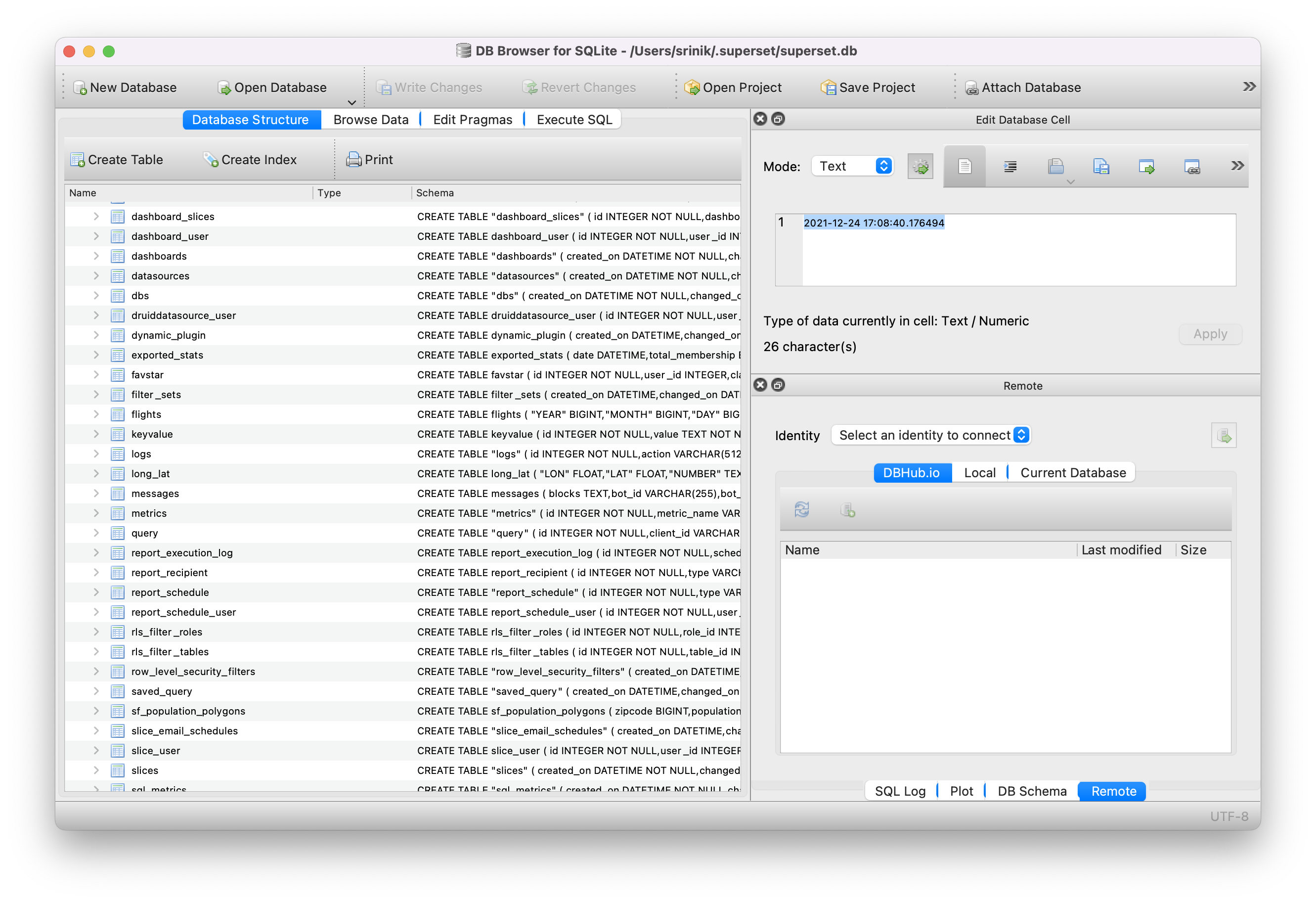
Let's preview the dbs table (which corresponds to the Database model).
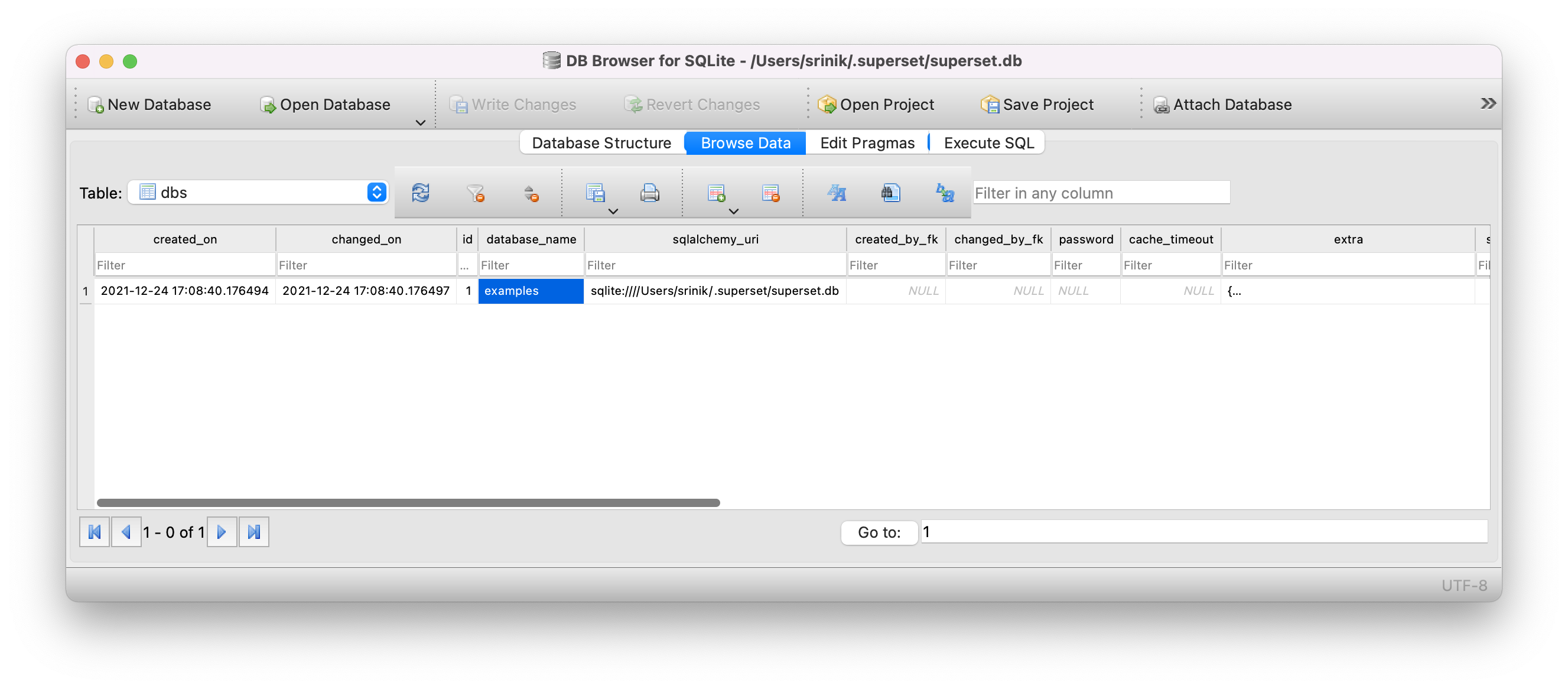
It's nice to see all of the columns reflected here from the Database model.
World Health Dashboard: Examples Database
Let's revisit the load_world_bank_health_n_pop() function that loads the World Health Dashboard.
def load_world_bank_health_n_pop(  # pylint: disable=too-many-locals, too-many-statements
    only_metadata: bool = False, force: bool = False, sample: bool = False,
) -> None:
    """Loads the world bank health dataset, slices and a dashboard"""

    tbl_name = "wb_health_population"
    database = utils.get_example_database()
    engine = database.get_sqla_engine()
    schema = inspect(engine).default_schema_name
    table_exists = database.has_table_by_name(tbl_name)
This code does the following:
- Sets the table name to
wb_health_population - Uses utility functions to fetch the Database object corresponding to the
examplesdatabase (or creates it if it isn't there) - Retrieves the SQLAlchemy engine for this specific database flavor (from the
db_engine_specsfolder) so queries can be made to the database. - Retrieves the default schema name if it exists.
- Confirms if the
wb_health_populationtable exists or not.
World Health Dashboard: Pandas Transformation
As someone who's spent years writing pandas code, the next part of of the load_world_bank_health_n_pop() function looks very familiar:
if not only_metadata and (not table_exists or force):
        data = get_example_data("countries.json.gz")
        pdf = pd.read_json(data)
        pdf.columns = [col.replace(".", "_") for col in pdf.columns]
        if database.backend == "presto":
            pdf.year = pd.to_datetime(pdf.year)
            pdf.year = pdf.year.dt.strftime("%Y-%m-%d %H:%M%:%S")
        else:
            pdf.year = pd.to_datetime(pdf.year)
        pdf = pdf.head(100) if sample else pdf

        pdf.to_sql(
            tbl_name,
            engine,
            schema=schema,
            if_exists="replace",
            chunksize=50,
            dtype={
                # TODO(bkyryliuk): use TIMESTAMP type for presto
                "year": DateTime if database.backend != "presto" else String(255),
                "country_code": String(3),
                "country_name": String(255),
                "region": String(255),
            },
            method="multi",
            index=False,
        )
Here's my breakdown of the code:
data = get_example_data("countries.json.gz"):get_example_data()is a helper function that fetches the gzipped JSON dataset for this example fromhttps://github.com/apache-superset/examples-data/blob/master/countries.json.gz
pdf = pd.read_json(data):- read in JSON as a pandas dataframe
pdf.columns = [col.replace(".", "_") for col in pdf.columns]:- replace any periods with
_, so the database is happy
- replace any periods with
if database.backend == "presto":if the examples Database object points to a Presto database, do some specific datetime conversion for Presto.pdf.to_sql(): use thepandas.DataFrame.to_sql()method to generate a SQLAlchemy 'query' to insert data into the database.
Phew! That's it for today. Tomorrow, I want to finish understanding how the Superset-specific metadata is loaded.
Day 7 (Metadata for Examples)
I ended Day 6 with a good understanding of the first half of the load_world_bank_health_n_pop() function, which loads the World Health dashboard example. Today, I'm hoping to understand the rest of the function if possible.
The next line of code is:
table = get_table_connector_registry()
The get_table_connector_registry() function seems to be defined in superset/superset/examples/helpers.py. The function definition is very simple:
def get_table_connector_registry() -> Any:
    return ConnectorRegistry.sources["table"]
Helper Functions for Superset Examples
This function is so simple, I'm even wondering why this function needs to exist.
Why can't
ConnectorRegistry.sources["table"]just be defined directly in theload_world_bank_health_n_pop()function withinworld_bank.py?
Let me take a peek at the rest of the functions in superset/examples/helpers.py to try to gain more context:
get_table_connector_registry(): yet to be determined!get_examples_folder(): returns exact path to where example datasets, dashboards, etc are stored.update_slice_ids(layout_dict: Dict[Any, Any], slices: List[Slice]): does some type of sorting of slicesmerge_slice(slc: Slice): deletes existing Slice and creates new one in its placeget_slice_json(defaults: Dict[Any, Any], **kwargs: Any): unclear! But something around JSON representation of Slice objects.get_example_data(filepath: str, is_gzip: bool = True, make_bytes: bool = False): common utility function for fetching JSON dataset from a URL and reading in the bytes (we saw this earlier!)
These all smell like functions that any example-loading script can benefit from and re-use. So it makes sense that they're all defined here for common use.
Why ConnectorRegistry?
ConnectorRegistry sounds interesting, as it sounds like some type of registry that maintains the available database connectors in the current Superset installation. This lead me to the following question:
Why not store the available connectors in the metadata database?
My hunch is that this adds extra friction, slows down the development process, and doesn't add too much.
You can imagine a Superset contributor having multiple local git branches and wanting to quickly switch between them. In my past life as a backend engineer, I've personally experienced the pains of database state causing issues between versions of the same software.
For connectors, the state itself is likely defined entirely in the code itself.
- The connector libraries are either defined in code that lives in the source tree, or they aren't!
- The
db_engine_specfor a given database either exists in the source tree, or it doesn't!
Let's move on to the implementation for ConnectorRegistry.
Connector Registry
Where is the ConnectorRegistry class defined? The comment at the top for the class definition is:
Central Registry for all available datasource engines
In superset/superset/connectors/connector_registry.py, the ConnectorRegistry class is defined with the following class methods.
register_sources()get_datasource()get_all_datasources()get_datasource_by_id()get_datasource_by_name()query_datasources_by_permissions()get_eager_datasource()query_datasources_by_name()
Because the ConnectorRegistry class acts as a source of truth, it can just have class methods that other parts of the codebase can call to look up information. It won't ever be instantiated into individual objects.
The register_sources() class method piqued my interest, as it probably registers new data sources. When is this actually called though? It's only called in superset/superset/initialization/__init__.py:
def configure_data_sources(self) -> None:
    # Registering sources
    module_datasource_map = self.config["DEFAULT_MODULE_DS_MAP"]
    module_datasource_map.update(self.config["ADDITIONAL_MODULE_DS_MAP"])
    ConnectorRegistry.register_sources(module_datasource_map)
This makes sense. The possible data source engines only need to be registered during the flask app initialization.
What is the default value set to "DEFAULT_MODULE_DS_MAP?
DEFAULT_MODULE_DS_MAP = OrderedDict(
    [
        ("superset.connectors.sqla.models", ["SqlaTable"]),
        ("superset.connectors.druid.models", ["DruidDatasource"]),
    ]
What is the default value set to "ADDITIONAL_MODULE_DS_MAP"?
ADDITIONAL_MODULE_DS_MAP: Dict[str, List[str]] = {}
So this code path essentially returns an Ordered Dictionary of values. Interesting.
Let's circle back to get_table_connector_registry(), which essentially boils down to:
ConnectorRegistry.sources["table"]
This code references the following class variable:
class ConnectorRegistry:
    """Central Registry for all available datasource engines"""

    sources: Dict[str, Type["BaseDatasource"]] = {}
What does this value look like for our current Superset instance?
>>> ConnectorRegistry.sources
{'table': <class 'superset.connectors.sqla.models.SqlaTable'>, 'druid': <class 'superset.connectors.druid.models.DruidDatasource'>}
From Superset's stand point, databases are either:
- a Druid data source, connected using the legacy Druid connector, in which case the datasets are JSON (I think)
- a SQAlchemy data source, in which case the datasets are all tables
The returned dictionary matches the default value set to "DEFAULT_MODULE_DS_MAP:
DEFAULT_MODULE_DS_MAP = OrderedDict(
    [
        ("superset.connectors.sqla.models", ["SqlaTable"]),
        ("superset.connectors.druid.models", ["DruidDatasource"]),
    ]
This seems like a LOT of steps and code just to return a tiny dictionary of values!
ConnectorRegistry doesn't even seem to return the actual database connectors that are registered. This is a bit weird!
Interestingly, the SqlaTable class does warrant further investigation. It seems to be an ORM model / wrapper for the SQLAlchemy table objects with some Superset-specific niceities.
Searching for a Table
After returning the SQLAlchemy compatible module name and class using the ConnectorRegistry, here's the next line of code:
tbl = db.session.query(table).filter_by(table_name=tbl_name).first()
This code uses SQLAlchemy syntax to generate a SQL query that returns the "wb_health_population" table. It handles multiple results and focuses on just the ones from SQLAlchemy databases that Superset is aware of. Specifically, it returns a SqlaTable object and assigns to tbl.
The next code fragment creates the table if it doesn't exist:
if not tbl:
    tbl = table(table_name=tbl_name, schema=schema)
Next up, this code reads in "countries.md", which contains information on the World Health dataset. Then, it attaches this information to the description column for the SqlaTable object:
tbl.description = utils.readfile(
    os.path.join(get_examples_folder(), "countries.md")
)
The next three lines of code set values to three more columns within this SqlaTable object:
tbl.main_dttm_col = "year"
tbl.database = database
tbl.filter_select_enabled = True
Defining Metrics for World Health Dashboard
The raw metrics that need to be created to power this Superset dashboard are represented as the following strings:
metrics = [
    "sum__SP_POP_TOTL",
    "sum__SH_DYN_AIDS",
    "sum__SH_DYN_AIDS",
    "sum__SP_RUR_TOTL_ZS",
    "sum__SP_DYN_LE00_IN",
    "sum__SP_RUR_TOTL",
]
The next block of code does the following for each metric-string:
- searches all of the
tblobject'smetricsto check if it already exists - slices the metric-string to extract first 3 characters (e.g. "sum")
- uses SQLAlchemy to search for the column that will be aggregated
- appends the metric to
tbl.metrics, using theSqlMetricclass
for metric in metrics:
    if not any(col.metric_name == metric for col in tbl.metrics):
        aggr_func = metric[:3]
        col = str(column(metric[5:]).compile(db.engine))
        tbl.metrics.append(
            SqlMetric(metric_name=metric, expression=f"{aggr_func}({col})")
        )
The next three lines seem to commit these changes to the database and re-fetch the metadata:
db.session.merge(tbl)
db.session.commit()
tbl.fetch_metadata()
We're nearly done understanding the World Health dashboard example! But I've run out of time for today. I'll save this for Day 8!